This post may include affiliate links. We do earn a commission for products purchased using these links (at no additional cost to you). Thank you for supporting Swing Yard, making the content you see on this blog possible. For more information, please see our privacy policy for details.
*Read our review guidelines.
Golf Simulator Builder in 3D
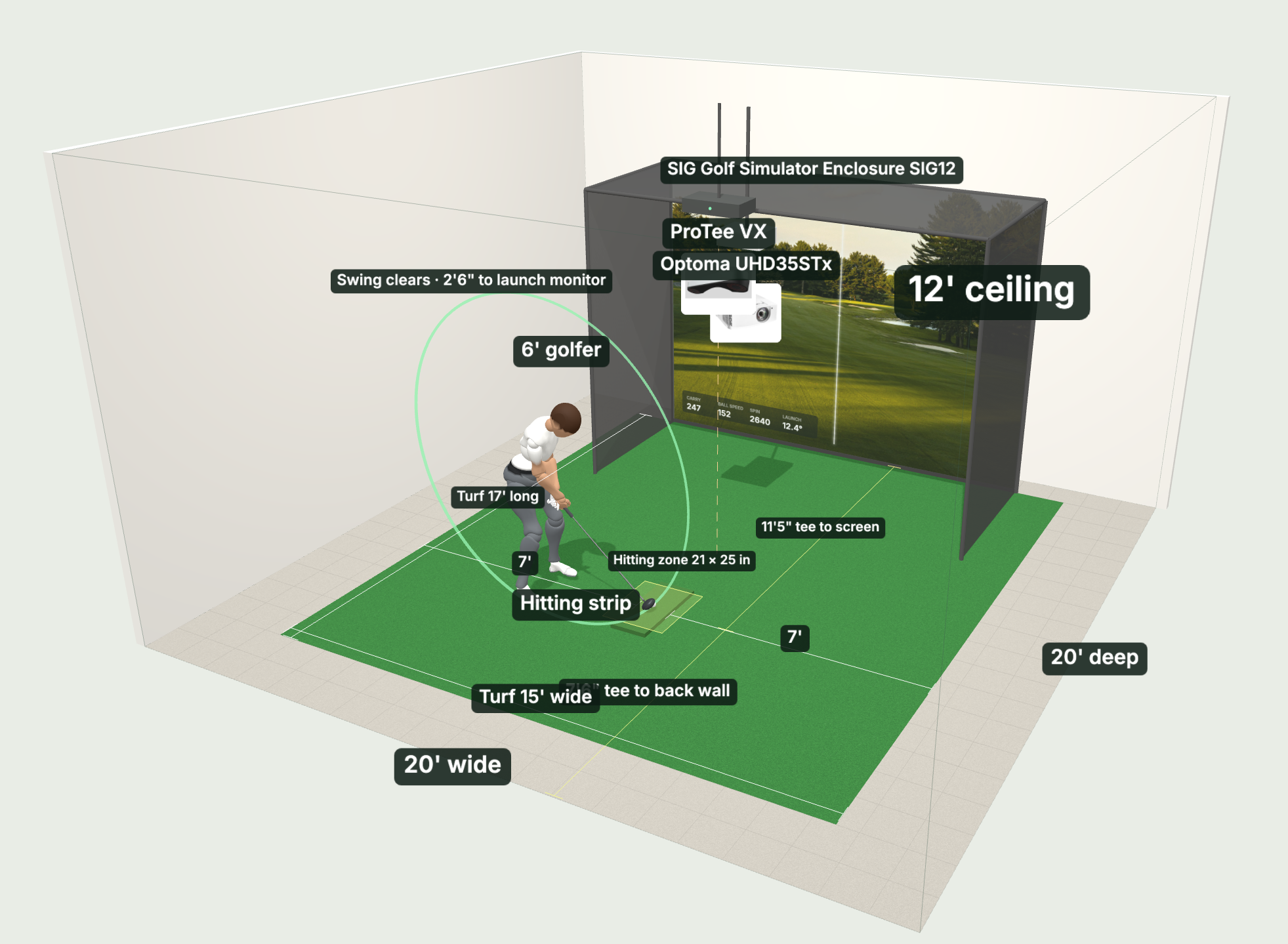
Planning a golf simulator at home? Our free Golf Simulator Builder takes your room size, ceiling height and budget, then picks the launch monitor, enclosure, impact screen, projector, hitting mat, computer and software that fit best alongside our recommendations. You can see the whole setup in 3D, swing the club to check your ceiling, swap any piece of gear and email the build to yourself. Or, ask Swing Yard directly for a free consultation!
See an error or something not working right?
How the Sim Builder works
- Tell us about your space. Room width, depth and ceiling height, who’s swinging (righty, lefty or both), and whether the setup needs to be retractable or work outdoors.
- Set your budget. The builder favors the best gear for the money and checks that every piece fits your room, including launch monitor spacing, projector throw and swing clearance.
- Review your build in 3D. Drag the gear around, hit Hear the Swing to watch a full driver swing in your room, and swap any item for another option.
- Save it. Print a shopping list or email the build to yourself with links to every product.
Already own a launch monitor, enclosure or PC? Mark it in the builder and it plans the rest of the room around what you have. Let’s get better together!
Get Smarter About Your Swing
Join thousands of golfers getting exclusive swing tips, club reviews, and gear guides straight to their inbox – before they hit the site.
What the golf simulator builder checks for you
Most of the headaches I see with home sims come from the room, not the gear. So before the builder recommends anything, it runs the same checks I’d run if I were standing in your space with a tape measure:
- Room size and ceiling height. A full driver swing needs a ceiling about 1.5 times the golfer’s height, so roughly 9 ft is the absolute bare minimum for a 6 ft golfer. The 3D swing arc shows you exactly where the club goes but every golfer is different. If you have a steeper swing, you’d need more room.
- Launch monitor spacing. Overhead units, units that sit beside the ball and radar units behind you all need different room. The builder places each one where it actually reads the ball.
- Projector throw distance. The projector has to fill the impact screen without sitting inside the enclosure or over your swing, so the builder works out the mount spot for you.
- Enclosure fit. It checks the enclosure against your width and depth and leaves room behind the golfer to swing.
- Lefties and righties. If you share the sim, it centers the hitting area, picks a two sided mat and leans toward overhead launch monitors so nobody has to move a unit every time you swap.
Why I built the Swing Yard Sim Builder
I’m Tim, and I run Swing Yard. I’ve spent a lot of time testing launch monitors, hitting strips and mats, and the same questions kept coming up: will this fit my room, and what should I actually buy for my budget? This builder is my answer to that.
I rank gear on fit and value, not commission. Some links are affiliate links, but they only break a tie between two products that are basically even. If a cheaper option is the better fit for your space, that’s what the builder will show you.
More reviews to help you decide
If you want to go deeper on any of the gear the builder recommends, these are my hands on reviews:
Watch
New videos every week on our youtube channel
- ProTee VX Launch Monitor Review
- Uneekor EYE MINI LITE Launch Monitor Review
- Bushnell Launch Pro Launch Monitor Review
- Uneekor EYE XO Launch Monitor Review
- Garmin R10 vs Rapsodo MLM2 Pro: Best Budget Launch Monitor
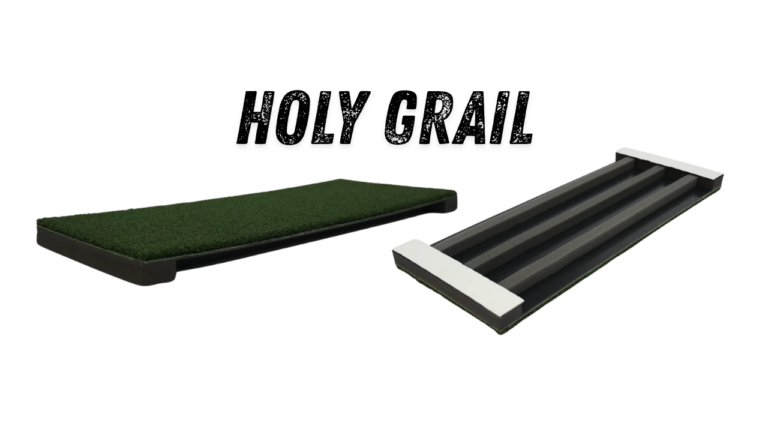
- Holy Grail Hitting Strip Review
- Holy Grail Hitting Strip PLUS Review
- SIGPRO Softy Hitting Strip Review
- Best Golf Simulators for Home Use (2026)
- How to Build a DIY Golf Simulator
Golf simulator FAQ
For one golfer, plan on about 12 ft wide. If lefties and righties share the sim, 14 to 16 ft wide is more comfortable so the hitting area can sit in the middle. Depth depends on the launch monitor. Camera units that sit beside the ball can work in about 14 ft, while radar units that sit behind you usually need 18 to 20 ft. Put your exact measurements into the builder and it will tell you what fits.
A full driver swing needs a ceiling about 1.5 times the golfer’s height, so roughly 9 ft for a 6 ft golfer. Lower ceilings can still work for irons and wedges. Overhead launch monitors also need to mount on a ceiling that’s usually between 9 and 10 ft. The builder shows your swing arc in 3D and flags anything that’s tight.
Under $2,500 gets you a starter setup: a portable launch monitor, a good mat and a net. From about $2,500 to $7,000 you’re into a full simulator with an enclosure, impact screen, short throw projector and a value launch monitor. Between $7,000 and $15,000 you get camera based accuracy, a bigger screen, a better hitting surface and a gaming PC. Above $15,000 is tour level gear. You can always build into your dream simulator if you can’t afford your full setup right away.
In a smaller room I’d look at camera units that sit beside the ball, since they don’t need extra space behind you. My top picks there are the Foresight GC2, the Uneekor EYE MINI LITE and the Bushnell Launch Pro, and your budget decides between them. Radar units need a deep room, and overhead units need a 9 to 10 ft ceiling.
Yes. Center the hitting area in the room, use a two sided hitting mat and, if the budget allows, go with an overhead launch monitor so nobody has to move the unit every time you switch. Choose the lefties and righties option in the builder and it plans all of that for you.
Yes, it’s completely free and you don’t need an account. You can email your build to yourself or print a shopping list, and if you want a second set of eyes on it, you can request a free consultation right from the builder!
Last updated November 2026.

Leave a Comment