This post may include affiliate links. We do earn a commission for products purchased using these links (at no additional cost to you). Thank you for supporting Swing Yard, making the content you see on this blog possible. For more information, please see our privacy policy for details.
*Read our review guidelines.
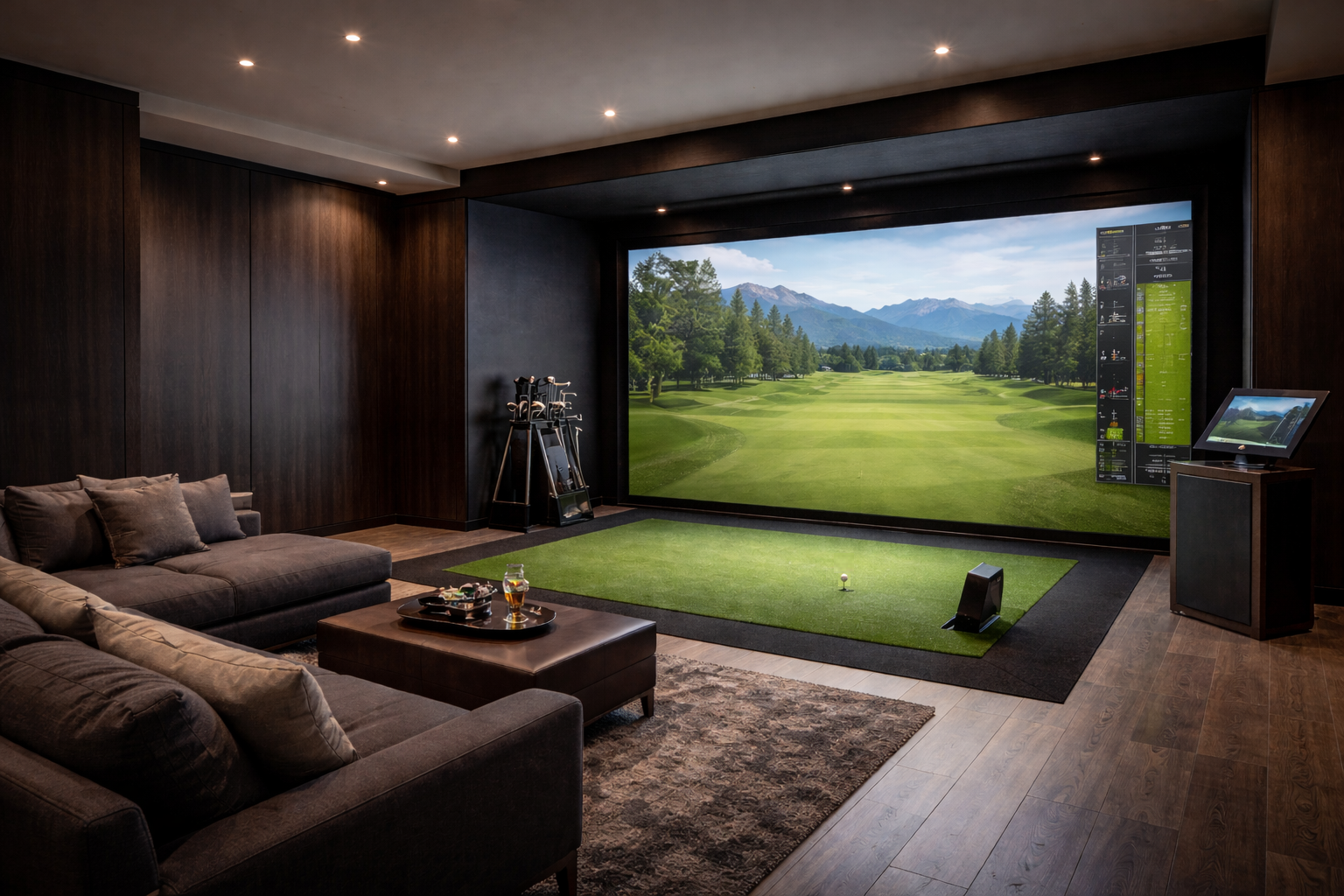
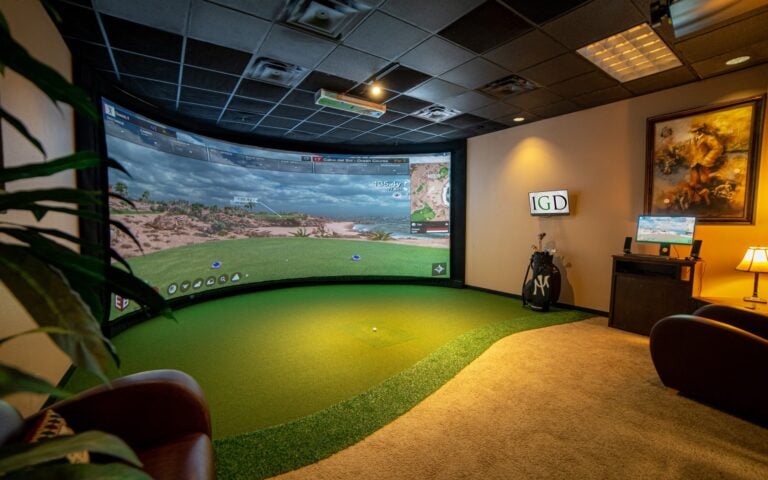
If you live somewhere with winters, a demanding schedule, or just a burning desire to groove your 7-iron at 11pm — a home simulator has probably crossed your mind. The good news: 2026 is the best time in history to buy one. The technology has leaped forward, prices have dropped at every tier, and the software is finally good enough that a session in your garage can legitimately improve your game.
The bad news: the market is enormous and the wrong purchase can leave you with a pile of regret in your basement or garage.
However, we’ve done the legwork so you don’t have to! This guide covers every meaningful option from under $1,000 to over $30,000. We’ve produced recommendations for every budget tier because every simulator, golfer, objective and setup is different.
Quick Picks — Best Home Golf Simulators 2026
***As we walk through this article, please understand that these are the not the DIY options. If you’re looking to customize your experience, or simply want more control over what you’re building, take a closer look at our How To Build A Golf Simulator article. That said, let’s dive into some of the more traditional setups and options on the market.
- Best Overall: Protee VX + SIG 12 Package (~$9,000)
- Best Budget: Square Golf + Netting Bundle (~$900)
- Best Mid-Range: Rapsodo MLM2 Pro + SIG 10 Package (~$3,400)
- Best $10K–$15K: Uneekor EYE XO SIG 12 Package (~$12,000)
- Best Premium: Foresight Falcon Sim Package (~$20,000+)
- Best No-Compromise Setup: Trackman 4 SIG 10 Package (~$30,000)
Do You Actually Need a Home Golf Simulator?
For golfers who can’t get out year-round (like me in Minnesota), a home simulator is one of the most effective training tools available. Modern simulators provide accurate ball-flight data, club metrics, and enough feedback to genuinely understand what’s happening at impact. A good system transforms a spare room or garage into a dependable training space where you can keep your swing sharp all year.
Now, there’s a wide spectrum between “good enough to practice” and “tour-grade accuracy.” Understanding where you fall on that spectrum — and being honest about your budget and available space — is the starting point for every good simulator purchase decision.
The single most important component in any home simulator is the launch monitor — not the enclosure, the screen, or the projector. Get that wrong and every rep you put in is giving you bad feedback. Everything else flows from that piece of equipment.
How We Tested
We’ve been testing for a number of years now and feel that we have a very good gauge of home simulator setups with both premium and budget friendly options for each and every component. Again, for more on these components individually, read our DIY golf simulator article which goes into greater detail.
Through our partnership with 2nd Swing, we’ve had the opportunity to test a wide range of launch monitors across all price points. Our process involves benchmarking each unit against a premium system using the same golf ball and swing with a side-by-side comparison. Most often, we’ve been comparing results to the Uneekor EYE XO and ProTee VX launch monitors against other respective units. This side-by-side testing approach gives us a clear, reliable understanding of how both budget and high-end launch monitors truly perform in terms of accuracy and consistency.
Along with that, we’ve tested different turf, hitting mats, impact screens, enclosures, projectors and more to further comprehend the quality and importance of each. All of these components together can enhance or harm the home simulator experience. Now, I’d be lying if I said we’d tested everything, but we feel as well versed as anyone having done so much of our own testing, research, participating in forum discussions and participating alongside the golf simulator community for a number of years now. So, let’s get into some of our recommendations for the best golf simulators for home use in 2026.
Best Budget: Square Golf + Netting Bundle (~$900)
If I had always assumed a simulator was out of reach financially, the Square Golf package would have changed my thinking entirely. For right around $900, you can get a capable launch monitor and a net to hit into — everything needed to start practicing indoors today. Most of the software then can run of something you already own in a computer, smartphone or tablet.
Who Is This For?
This setup is built for beginners, casual golfers, and anyone who wants to dip a toe into simulator play without a major financial commitment. It’s also a great solution for golfers with limited space who just want to work on swing mechanics during the off-season. I’d point a first-time simulator buyer straight here without hesitation.
What I Found in Testing
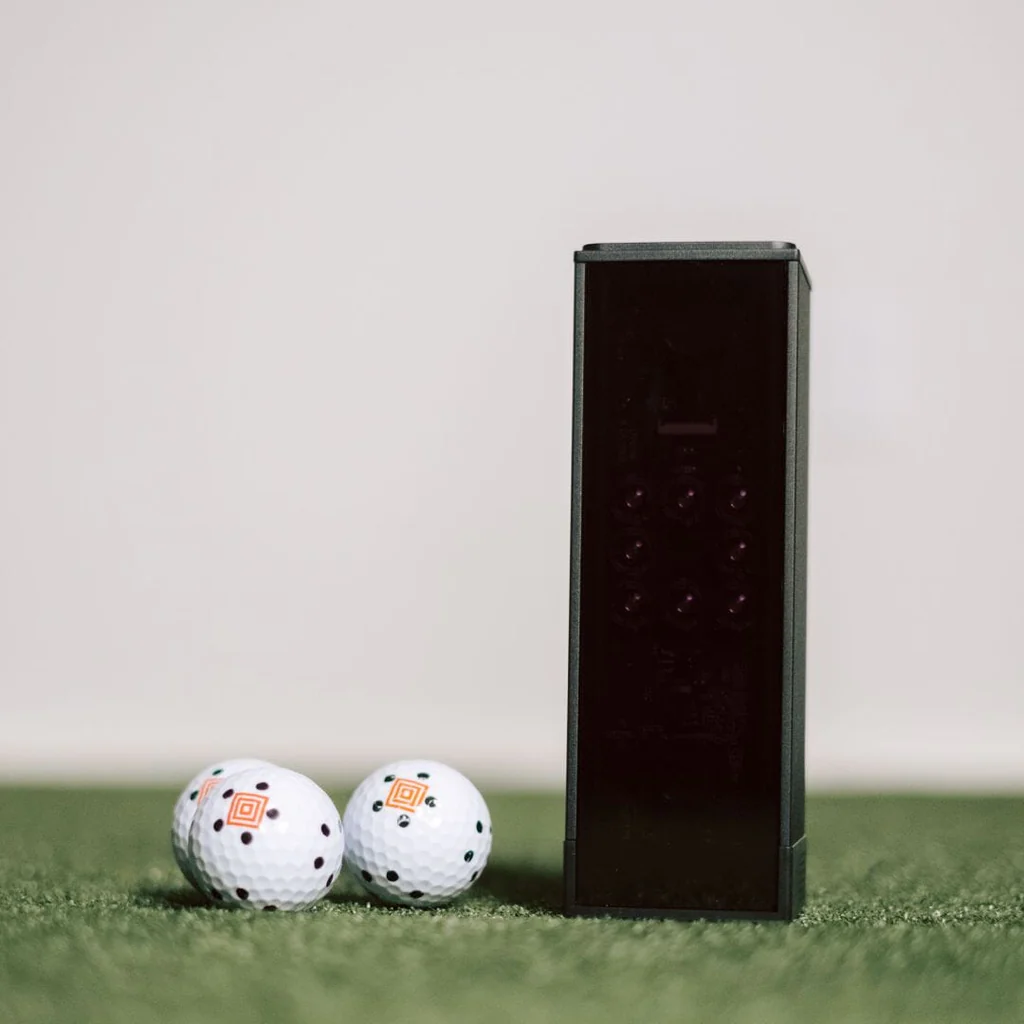
The Square Golf launch monitor is a camera-based unit that tracks the ball and delivers core data metrics — ball speed, launch angle, carry distance, and shot shape. Paired with the netting bundle and you can have a complete hitting bay set up in under an hour. The setup process is simple, and the data it returned was accurate enough for meaningful practice feedback at this price point.
| Launch Monitor | Square Golf |
| Setup Type | Net / hitting bay |
| Key Metrics | Ball speed, launch angle, carry, shot shape |
| Space Required | As little as 10 ft deep x 8 ft wide |
| Software | Square Golf app (iOS/Android) |
| Total Package Price | ~$900 |
💡 Pro Tip: The Square Golf setup is expandable. Down the road I can add a projector and screen to upgrade the experience without replacing the launch monitor — which is a big deal at this price tier.
Pros
- Lowest barrier to entry in the simulator market
- Compact and portable — easy to store when not in use
- Quick setup, no technical knowledge required
- Good entry-level data for game improvement
Cons
- No full course simulation out of the box
- Data accuracy is functional, not tour-grade
- No projector — practice-focused, not entertainment-focused
- Requires dotted golf balls
My Bottom Line
For under $1,000, nothing comes close. If I want to practice my swing indoors without a massive investment, this is where I start — and it’s where I’d tell any budget-conscious golfer to start too.
Best Mid-Range: Rapsodo MLM2 Pro + SIG 10 Package (~$3,400)
The Rapsodo MLM2 Pro has become one of the most talked-about launch monitors in the sub-$2,000 category, and after testing it extensively, I completely understand why. It combines Doppler radar with a dual camera system to capture 13 shot metrics with impressive accuracy for the price. Paired with the SIG 10 enclosure from The Indoor Golf Shop, this package delivers a genuine full-simulator experience for around $3,400.
Who Is This For?
In my view, this is the sweet spot for the serious recreational golfer — someone who plays regularly, wants to improve, and would love to play virtual rounds without spending five figures. The MLM2 Pro is also dual-purpose: With the capability to use it at home on the simulator, then toss it in your golf bag for range sessions outdoors. That versatility alone makes it stand out at this price.
What I Found in Testing
The MLM2 Pro pairs with an iPad or smartphone via the Rapsodo Golf app, giving access to over 30,000 simulated courses when combined with GSPro or E6 Connect software. Shot-to-screen time was fast enough to feel seamless, and the 13 data metrics — including spin, path, and face angle — gave me real, actionable feedback on my ball-striking. The SIG 10 enclosure includes the other pieces you’ll need: the premium impact screen, side barrier netting (enclosure), hitting/stance mats, and professional-grade framing.
| Launch Monitor | Rapsodo MLM2 Pro |
| Enclosure | SIG 10 (10 ft wide) |
| Key Metrics | 13 shot metrics including spin, path, face angle |
| Software | Rapsodo app + GSPro / E6 Connect compatible |
| Space Required | Min. 9 ft ceiling, 10 ft wide, 15 ft deep |
| Total Package Price | ~$3,400 |
Here’s a video review I’ve done of the MLM2 Pro Launch Monitor.
💡 Pro Tip: The MLM2 Pro works both indoors and outdoors — I’ve used it a bunch and it’s one of the most versatile launch monitors on the market at this price point. The portability adds genuine value over something you can only use in one room.
Pros
- Excellent accuracy for the price tier
- Portable — use it indoors and at the range
- 30,000+ courses via compatible software
- SIG 10 enclosure is high quality and looks great
- Strong community support and software ecosystem
Cons
- Requires adequate lighting for optimal accuracy
- Requires an additional device, and obviously, the iPad, tablet, or smartphone not included — additional cost if you don’t own one
- Software subscription adds to annual cost
- Data is better with dotted balls
My Bottom Line
If my budget is under $5,000 and I want a real simulator experience — not just a net to hit into — the Rapsodo MLM2 Pro + SIG 10 package is the best value I’ve found in the market right now. I genuinely couldn’t believe how complete a setup this is for $3,400.
Best Overall: ProTee VX + SIG 12 Package (~$9,000)
This is the one I keep coming back to. The ProTee VX is an overhead-mounted, camera-based launch monitor that delivers exceptional accuracy without the premium price tag of Foresight or Trackman. When I hoisted this on my ceiling, I got a setup that genuinely competes with systems costing twice as much — and it earned the top spot on this list as a result.
Who Is This For?
This is the ideal setup for the dedicated golfer who wants tour-quality data and a premium simulator experience at home. It’s the right fit for anyone who is serious about improvement, wants to play realistic virtual rounds, and is ready to invest in a permanent setup in a dedicated room or garage bay. I’d point a golfer with this budget here before I’d look anywhere else.
What I Found in Testing
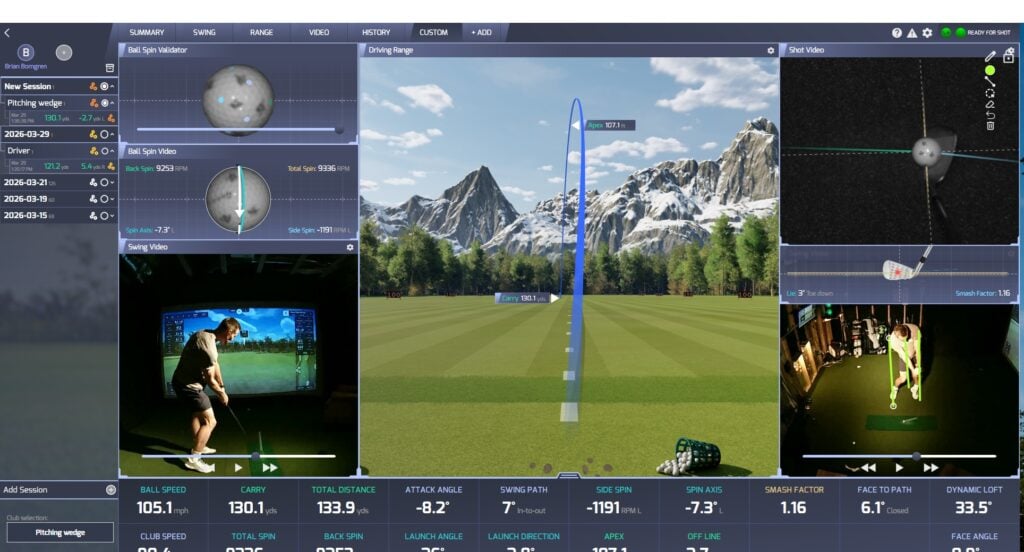
The overhead mounting was an immediate advantage — the ProTee VX is a unit that mounts to your ceiling approximately 40–43 inches in front of the hitting area. Its dual high-speed cameras deliver highly accurate data on ball speed, launch angle, spin rate, spin axis, club head speed, smash factor, and more. Its dimensions are (roughly 33″ x 8″ x 7″) and it weighs 18 lbs. Like most ceiling-mounted launch monitors, it requires a minimum ceiling height of 9 feet above the hitting surface — up to 10 feet. It also pairs seamlessly with GSPro, E6 Connect, Creative Golf 3D, and ProTee’s own Labs software. Additionally, ProTee is creating its own simulation software called “GolfCore” with a targeted beta release near 3/31/2026.
The SIG 12 enclosure that comes with this package is the perfect fit to garner a full premium sim experience.
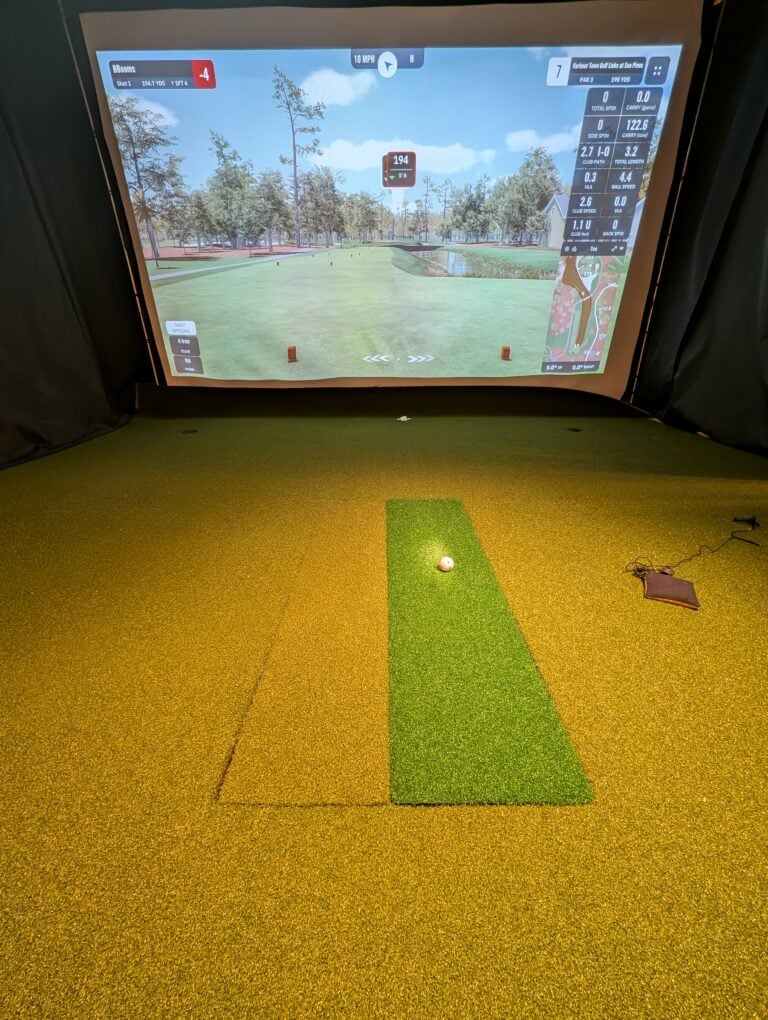
The ProTee VX integrates seamlessly with GSPro, E6 Connect, and the ProTee United software platform and has a wide variety of data and metrics to suit every golfers needs. Here’s one image of our testing to give you a feel for it.
| Launch Monitor | ProTee VX (overhead mounted) |
| Enclosure | SIG 12 (12 ft wide) |
| Key Metrics | Ball speed, spin rate, launch angle, club data |
| Software | GSPro, E6 Connect, ProTee United compatible |
| Space Required | Min. 9 ft ceiling, 12 ft wide, 15 ft deep |
| Total Package Price | ~$9,000 |
⭐ Swing Yard Verdict: This is my top pick for most golfers. The ProTee VX + SIG 12 hits a sweet spot that I’ve found genuinely difficult to beat at any price. Overhead mounting convenience (especially if you’ll have both left and right handed players), excellent data accuracy, and a premium setup and enclosure — all for a price that still feels reasonable for a permanent home setup.
Pros
- Overhead mounting keeps the launch monitor completely out of the swing path
- Immaculate accuracy
- SIG 12 is spacious, well-built, and looks professional
- Contains options for the SIGPRO Softy Hitting Strip/Mat – One of our Swing Yard top picks!
- Compatible with all major simulation software
- Fast shot-to-screen time for seamless gameplay – no lag
- Cameras come as part of purchase
Cons
- Ceiling height requirements are non-negotiable — measure carefully before buying
- Installation is more involved than ground-based units
- At $9,000, it’s a significant investment
My Bottom Line
For most golfers with the space and a $9,000 budget, I’d stop here. The ProTee VX + SIG 12 is the best value I’ve found in the simulator market in 2026, full stop.
Get Smarter About Your Swing
Join thousands of golfers getting exclusive swing tips, club reviews, and gear guides straight to their inbox – before they hit the site.
Best $10K–$15K: Uneekor EYE XO + SIG 12 Package (~$12,000)
Uneekor has firmly established itself as one of the top launch monitor brands in the world, and after testing the standard EYE XO extensively, I’d agree. It sits in the upper tier of home simulator technology while remaining significantly more affordable than the Foresight GCQuad or Trackman — making the EYE XO + SIG 12 package one of the most compelling propositions I’ve tested at the $10,000–$15,000 level.
Who Is This For?
Anyone, of course, but this often serves low to mid-handicap golfers who demand precise data. Teaching professionals building a private studio. Golfers who have maxed out what a mid-range setup can teach them and are ready to step up to tour-grade feedback. I’m a scratch golfer myself, and when I ran the EYE XO through its paces, it’s accurate, it’s fast and it genuinely makes little to no mistakes. It has a wonderful ability to add cameras for swing analysis and feedback and I thoroughly enjoy all the metrics that are available.
What I Found in Testing
The Uneekor EYE XO mounts overhead and uses two high-speed cameras capable of shooting at over 3,000 frames per second. I was impressed by the depth of club and ball data it captured at impact — club path, face angle, dynamic loft, lie angle, and more. But the feature that genuinely surprised me was Optix: Uneekor’s photographic ball tracking technology shows a literal photographic image of the club face striking the ball. As someone who coaches occasionally, I found this visual feedback to be a genuinely powerful teaching tool.
| Launch Monitor | Uneekor EYE XO (overhead) |
| Enclosure | SIG 12 (12 ft wide) |
| Key Metrics | Full club + ball data, Optix photographic replay |
| Software | Uneekor View, GSPro, E6 Connect compatible |
| Space Required | Min. 8.5 ft ceiling, 11 ft wide, 15 ft deep |
| Total Package Price | ~$12,000 |
💡 Pro Tip: The EYE XO’s Optix technology shows a photographic image of the club face at impact. If you’re a coach or a data-driven improver like me, this visual feedback is genuinely game-changing for understanding what the club is actually doing at the moment that matters most.
Pros
- Near tour-grade data accuracy
- Optix photographic replay for detailed impact analysis
- Overhead mounting — completely out of the swing path
- Exceptional software compatibility
- Strong resale value if desired
Cons
- Significant price jump over the ProTee tier
- The View software has a learning curve — I spent a few sessions getting comfortable
- Optix cameras are a significant additional expense
- Installation is more involved than ground-based units
My Bottom Line
If I had an extra $3,000 over the ProTee budget and wanted better data quality, the Uneekor EYE XO is where I’d spend it. This is the great setup for serious improvers and home teaching professionals.
Best Premium: Foresight Falcon Sim Package (~$20,000+)
Foresight Sports has been synonymous with tour-grade simulation for years. Their GCQuad launch monitor became the fitting standard for top equipment brands and touring pros alike. The Falcon is their latest statement product. This is an overhead, camera-based system designed to bring their legendary accuracy into the permanent home simulator and/or commercial environments.
Who Is This For?
In my view, this is for the golfer who has no desire to wonder whether their data is accurate. Low handicappers, club fitters, those with big pockets, teaching professionals, and serious students of the game who want the same technology their tour-level coach uses. When I’m investing $20,000+ in a home setup, I want extreme precision…and Foresight delivers.
What I Found in Testing
I have to be honest in my reviews, that’s what makes Swing Yard authentic. I have not personally tested the Foresight Falcon but I have done some research to help backup this choice at this premium tier. So, the Foresight Falcon uses quadrascopic camera technology to measure ball flight and club data with zero compromise. It captures every data point you could want from a professional fitting environment: ball speed, launch angle, backspin, sidespin, spin axis, carry distance, total distance, club head speed, smash factor, dynamic loft, face angle, club path, and more.
Foresight’s FSX software ecosystem is really solid guys and this is something I have tested against. The course library is expansive, the physics engine is trustworthy, and the fitting module is used by club manufacturers worldwide. Let’s look at a couple other specs:
| Launch Monitor | Foresight Falcon (overhead) |
| Data Technology | Quadrascopic camera system |
| Key Metrics | Full tour-grade ball + club data |
| Software | FSX 2020, GSPro compatible |
| Space Required | Min. 9 ft ceiling, 12 ft wide, 15 ft deep |
| Total Package Price | ~$20,000+ |
📝 Swing Yard Note: One thing to appreciate about this Foresight product is that there’s no annual subscription fee for the core FSX software — which is a meaningful long-term cost savings. I’d encourage anyone comparing options at this level to calculate total cost of ownership over 5 years, not just the upfront hardware cost (ie: Trackman).
Pros
- Foresight’s proven quadrascopic accuracy
- No ongoing subscription for FSX core software (perpetual license with Falcon purchase)
- Industry-standard fitting and analysis tools
- Exceptional resale value
- The benchmark that other launch monitors are compared against
- One of the largest hitting areas for any launch monitor (59″ x 28″)
Cons
- Major financial investment when mid tier options provide almost the same experience
- The marginal accuracy gain over the Uneekor EYE XO or Protee VX is negligible
- Requires a dedicated, well-built room to truly justify the investment
My Bottom Line
If I’m serious enough about golf to spend $20,000 on a home setup, the Foresight Falcon gives me confidence that every number I see is exactly right. This is the standard against which everything else is measured so you know what you’re getting.
Best No-Compromise Setup: Trackman 4 + SIG 10 Package (~$30,000)
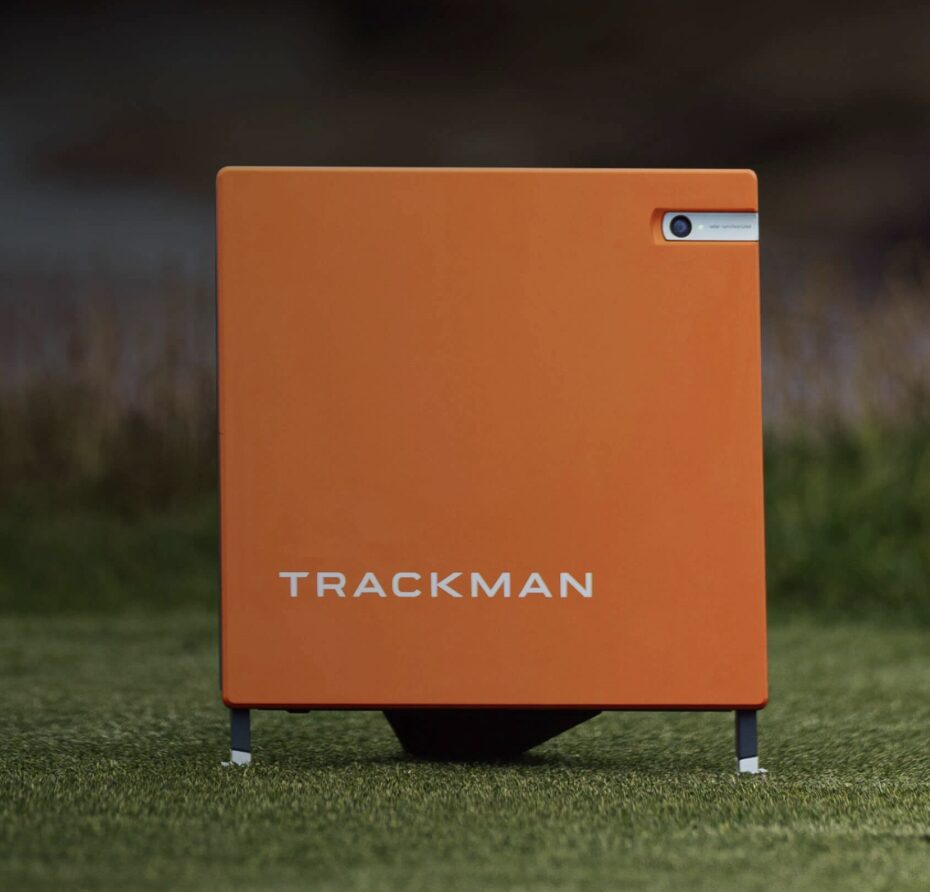
Trackman needs no introduction. The Trackman 4 is the launch monitor that PGA Tour players use on the range. It’s what club fitters rely on for precision fitting and it’s what broadcast television puts on screen when analyzing player data. When I finally got to test the Trackman 4 , I came away with one clear takeaway: if I want the absolute best with zero questions asked, this is it — and the SIG 10 package wraps it in a premium home environment worthy of the investment.
Who Is This For?
Touring professionals, elite amateurs, high-level teaching professionals, and any golfer for whom the very best is the only acceptable answer. At $30,000+, this is a professional-grade installation in a home environment. It is not a toy — it is a precision instrument.
What I Found in Testing
The Trackman 4 uses dual-radar technology to track the full ball flight from impact to landing — not just at the launch point. That gave it a unique advantage I noticed immediately: my carry, roll, total distance, and true ball flight shape were all measured from the complete arc, not extrapolated from launch data. It captures 26 data parameters covering everything from impact dynamics to full trajectory — more than any other simulator I’ve tested.
Trackman’s software platform is a masterpiece of interface design. The course library features LIDAR-scanned renderings of the world’s most famous courses, and the visuals that are immersive. The Virtual Driving Range, Competition Mode, and Skills Assessment tools made this feel as much like a coaching platform as a simulator. Pair it with the SIG 10 enclosure, it completes the ensemble.
| Launch Monitor | Trackman 4 (dual radar) |
| Enclosure | SIG 10 |
| Data Technology | Dual Doppler radar, full ball flight tracking |
| Key Metrics | 26 parameters, full trajectory, carry + total distance |
| Software | Trackman (LIDAR courses), E6 Connect compatible |
| Total Package Price | ~$30,000 |
⚠️ Important Note: Trackman software requires a subscription ranging from $700 to $1,100 per year depending on your tier. I’d factor this into total cost of ownership — over five years, that’s up to $5,500 in additional software costs on top of the hardware investment. It’s still worth it at this level, but it’s a number worth knowing upfront.
Pros
- The gold standard in launch monitor technology
- Dual radar tracks full ball flight — a unique advantage over camera systems
- 26 data parameters — more than any other home simulator option I’ve tested
- LIDAR-scanned courses set the visual benchmark for simulation realism
- Unmatched credibility for teaching professionals
Cons
- $30,000 is a significant financial commitment
- Annual software subscription adds $700–$1,100 per year
- Requires a powerful gaming PC for optimal visual performance
- The accuracy advantage over Foresight is marginal for most handicap levels
My Bottom Line
There is no better home golf simulator in the world. If budget is no object, the Trackman 4 + SIG 10 package is the answer. Everything else on this list is a compromise — a very good one, often, but a compromise nonetheless.
How I’d Choose the Right Home Golf Simulator
Before spending a dollar, I’d answer these four questions honestly. They’ve steered every recommendation I make in this guide.
1. What is your ceiling height?
This is the most overlooked factor and the most common source of regret I hear from the simulator community. I need a minimum of 9 feet of clearance for most setups. If my space has 8-foot ceilings, my options narrow dramatically and I’ll likely need a shorter swing arc or a launch monitor specifically rated for low ceilings. Measure it before you buy anything else.
2. What is the depth of your room?
Most full enclosure setups need at least 15–18 feet of depth from the hitting position to the back wall. That gives me room to swing, space for the enclosure, and adequate distance for a short-throw projector to fill the screen. I’d measure twice and then measure again.
3. What is your actual budget — including software?
Hardware prices are only part of the story. Many launch monitors require annual software subscriptions to access full course simulation. GSPro costs $250 per year and is excellent. E6 Connect runs $300–$600 per year. Trackman’s software can cost over $1,000 per year. I’d budget for at least three years of software on top of hardware before committing.
4. What do you want to use it for?
If my primary goal is game improvement — working on swing mechanics, understanding my numbers, dialing in my distances — any launch monitor on this list will serve me well. For entertaining guests with virtual rounds at Pebble Beach, I’d prioritize software quality and screen size. If I’m building a teaching studio, I’d invest in the best data accuracy I can afford.
Frequently Asked Questions
The minimum usable space I’d recommend is approximately 9 feet of ceiling height, 10 feet of width, and 15 feet of depth. More is always better. A 15 x 20 room gives a genuinely comfortable setup with no compromises on swing or enclosure size, and it’s what I’d aim for if I were building from scratch.
At this budget, I’d go straight to the Rapsodo MLM2 Pro + SIG 10 package at around $3,400. It’s the best value I’ve tested — a full simulator experience with thousands of courses, solid data accuracy, and a premium enclosure that looks and feels like a proper setup.
Not necessarily. Entry-level setups like the Square Golf bundle use a net and connect to a screen, smartphone, tablet or TV for data display. But for a full immersive simulation experience, or actually seeing ball flight on a virtual course, I’d want a projector and impact screen. Short-throw projectors are the standard choice for most home builds.
That depends entirely on how you plan to use it. For a 15-handicap golfer who wants to practice over winter, Trackman is significant overkill — the data advantage over a Foresight or Uneekor unit won’t meaningfully change how you train. For a teaching professional, an elite amateur, or a golfer who wants the absolute best with no questions asked, Trackman’s dual-radar accuracy and software ecosystem justify the investment.
GSPro at $250 per year is the best option for most home builds. It’s definitely our recommendation. It offers over 4,000 courses, excellent ball physics, and broad launch monitor compatibility. E6 Connect is another option that we’d rank behind GSPro. Trackman and Foresight have their own proprietary software platforms that are outstanding but tied to their respective hardware ecosystems.
My Final Verdict
Home golf simulators in 2026 are better, more accessible, and more accurate than at any point in history. No matter your budget, there’s a setup on this list that will transform how you practice, train, and enjoy the game during the months when getting to a course isn’t an option.
If you’re not sure where to start, I always come back to the same recommendation: the ProTee VX + SIG 12 at around $9,000. It’s the setup that delivers the most value, the best data quality for the price, and a premium simulator experience. But whatever the budget, the best golf simulator is the one that gets you swinging more often and every option on this list will do exactly that.
Watch
New videos every week on our youtube channel
Happy swinging!

Leave a Comment