This post may include affiliate links. We do earn a commission for products purchased using these links (at no additional cost to you). Thank you for supporting Swing Yard, making the content you see on this blog possible. For more information, please see our privacy policy for details.
*Read our review guidelines.
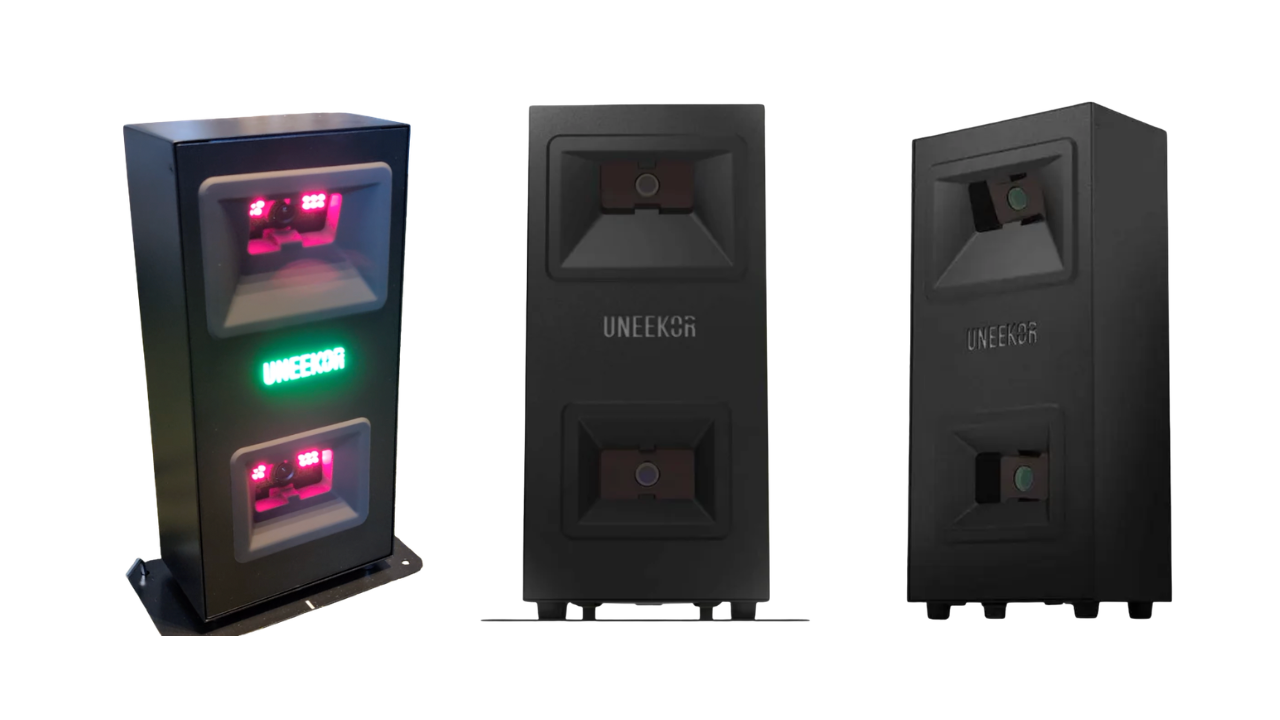
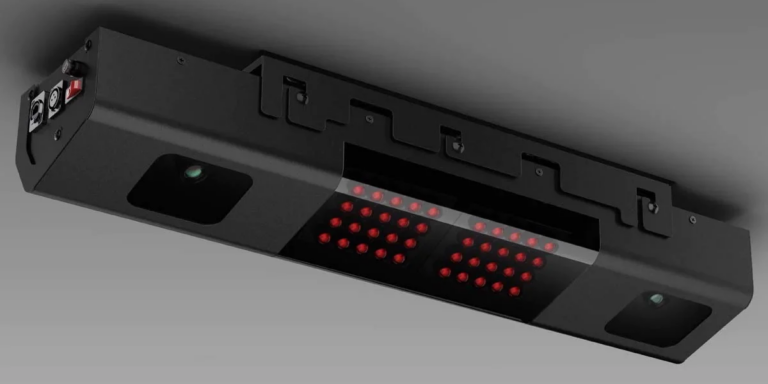
The Uneekor EYE MINI LITE is a floor-based, dual-camera launch monitor that brings Uneekor’s Dimple Optix ball tracking down to a price point that well inside the budget tier. No dots, no marked balls, no 9-foot ceiling requirement, just a compact box on the floor that reads 19 data points off any golf ball you already own.
What Is the Uneekor EYE MINI LITE?
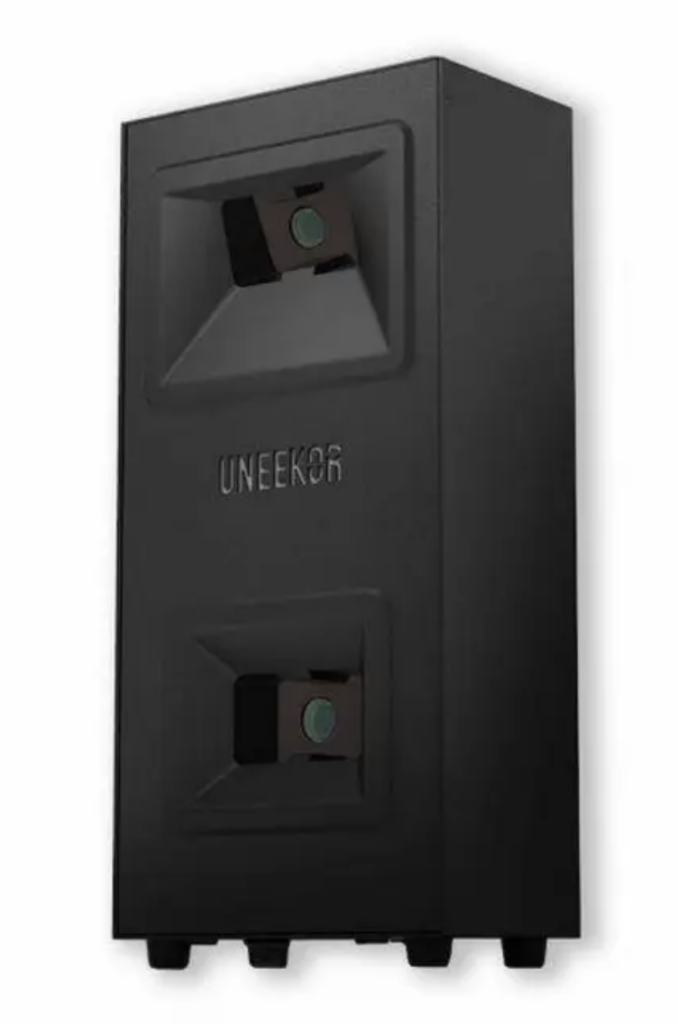
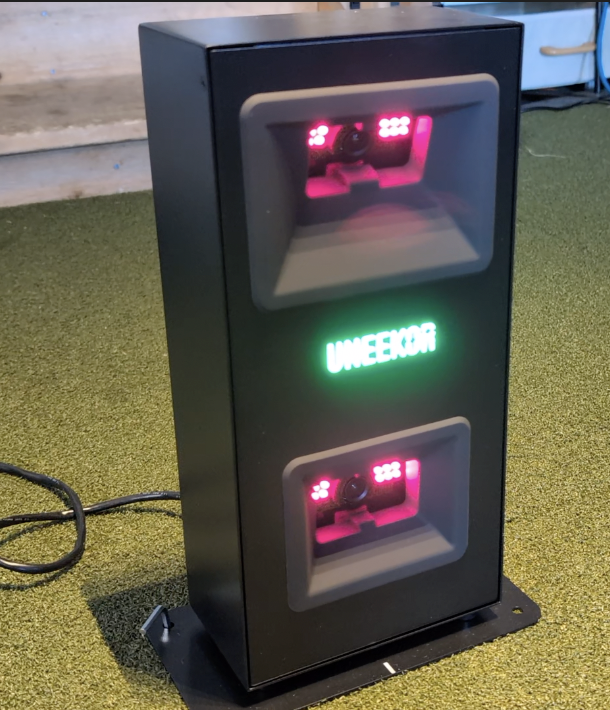
Uneekor released the EYE MINI LITE as the entry point into its lineup, sitting below the portable EYE MINI and well below the overhead EYE XO and QED in price. Instead of mounting overhead like other Uneekor units, the EYE MINI LITE sits on the floor to the side of the ball, similar in concept to how you’d position a Bushnell Launch Pro or SkyTrak ST+. This design change allows aspiring golf simulator builders the opportunity to own the accurate Uneekor products without the 9-10′ ceiling barrier requirement.
*Special thank you to 2nd Swing for allowing us to personally test the Uneekor EYE MINI LITE. They are our preferred partner for all things golf!
Inside the MINI LITE is the same core technology Uneekor is known for. Two high-speed cameras (Club Optix at 180 fps and Swing Optix at 160 fps, 1440×1080) work together with Uneekor’s patented Dimple Optix system, which reads the dimple pattern on a standard golf ball to calculate spin rate, spin axis, and launch conditions. That’s a meaningful upgrade over similarly priced budget launch monitors (like the Garmin R10 or Rapsodo MLM2 Pro), which still requires marked, three-dot balls to function at full capacity.
The unit connects to a Windows PC over a wired ethernet connection (no built-in display, no battery, no Wi-Fi), runs through Uneekor’s VIEW software, and plugs into most major simulation platforms including GSPro, E6 Connect, TGC 2019, Creative Golf 3D, and ProTee Play depending on your subscription tier. If you’re building out a full golf simulator for the first time, this is one of the more approachable Uneekor entry points to build around.
Uneekor EYE MINI LITE Specs & Key Data
| Spec | Detail |
|---|---|
| Price | $2,000 (base unit, Player package) |
| Mounting | Floor-based, positioned beside the ball (no ceiling mount) |
| Cameras | Dual high-speed: Club Optix (180 fps), Swing Optix (160 fps, 1440×1080) |
| Ball requirement | Any standard ball — no dots or markings needed (Dimple Optix) |
| Data points | 19 ball and club metrics (ball speed, spin rate, spin axis, launch angle, carry, club path, face angle, angle of attack, smash factor, and more) |
| Dimensions | 6.5″W x 13.9″H x 3.6″D (Approximately ~8 lbs) |
| Placement | Roughly 1.5–2 feet to the side of the ball |
| Connectivity | Wired ethernet to a Windows PC only |
| Indoor/outdoor | Indoor only — direct sunlight interferes with the cameras. Requires power and ethernet to be plugged in at all times. |
| Software | Uneekor VIEW, with tiered REFINE course access |
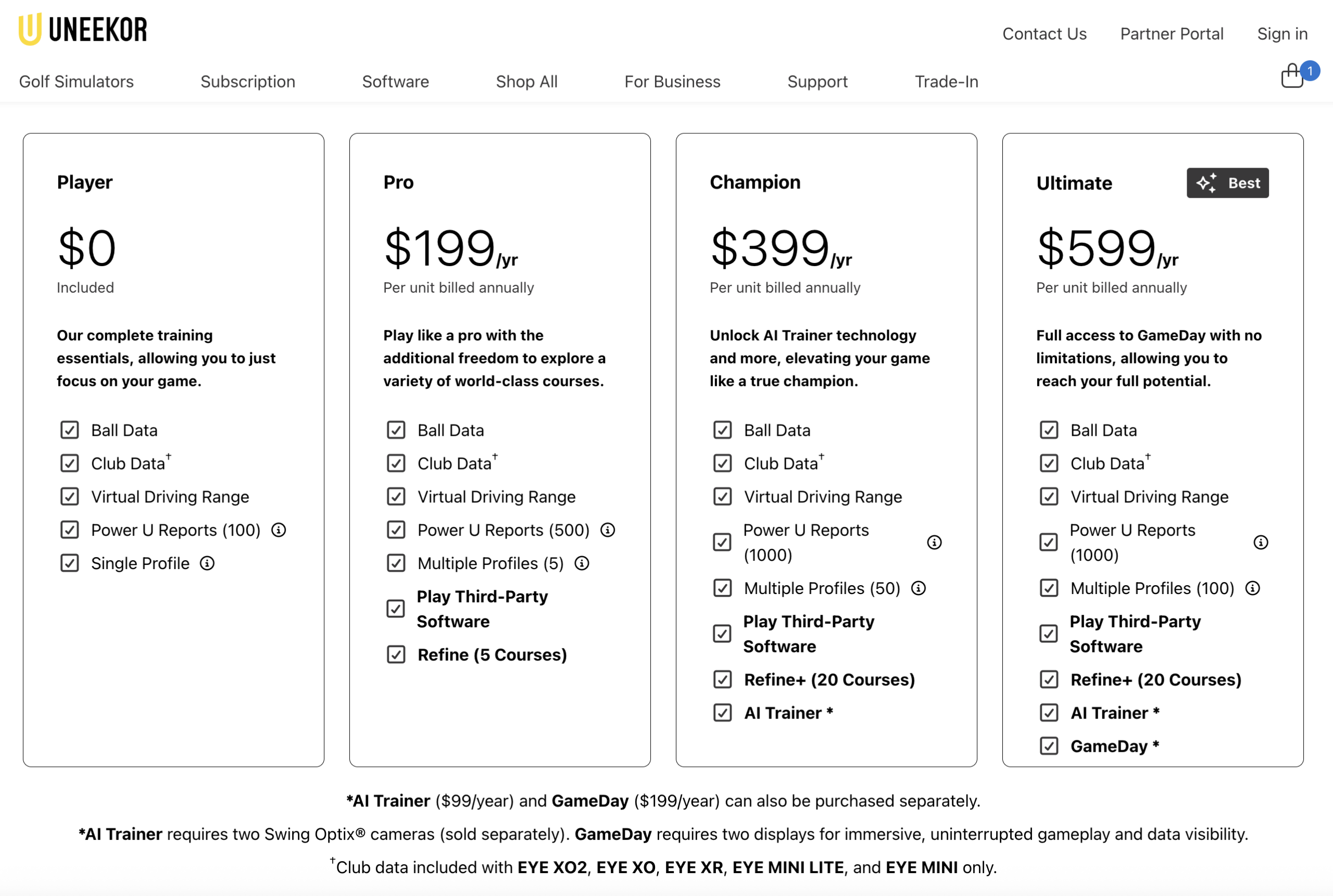
| Subscription | Player (free), Pro ($199/yr), Champion ($399/yr), Ultimate ($599/yr) |
Pros – Uneekor EYE MINI LITE
- No marked balls required. Dimple Optix reads any standard golf ball’s dimple pattern, a huge advantage over similarly priced units.
- No ceiling height requirement. Because it’s a floor unit rather than an overhead or radar based launch monitor, you can put this in a low-ceiling basement or garage that contain tighter space limitations.
- Genuine dual-camera club data. Unlike radar-based budget units such as the Garmin R10 or Rapsodo MLM2PRO, the EYE MINI LITE captures real optical club data (path, face angle, attack angle) rather than estimating it, which shows up in extremely consistent data.
- Uneekor’s software ecosystem. VIEW, REFINE, and third-party compatibility (GSPro, E6 Connect, TGC 2019) give you a lot of room to grow into a full simulator setup without changing hardware. This requires the Pro subscription or higher to activate.
- Price relative to Uneekor’s other units. At $2,000, it undercuts the EYE MINI by $1,000 and the EYE XO by thousands, while still using the same core camera technology.
- Accuracy for the price. Extremely accurate! Between my own testing and some third party testing, spin rates, launch angles and distances were within extremely close proximity to the results of more expensive launch monitor units. (My personal comparison against the Uneekor EYE XO and third party testing against the Foresight GC3).
Cons – Uneekor EYE MINI LITE
- Indoor use only. Simply put, it stays indoors and requires a physical connection at all times. Windows PC, ethernet cable and some power. If you want outdoor range sessions, the standard EYE MINI is a great alternative.
- No battery or built-in display. You’re tethered to a Windows PC over ethernet at all times. There’s no tablet app or standalone screen like you get by stepping up to the EYE MINI.
- Subscription costs add up. The free Player tier is fine to start, but real course play and AI coaching sit behind the $199–$599/year REFINE tiers.
- Side placement means repositioning for lefties and righties. Because the unit sits beside the ball rather than overhead, switching between right- and left-handed players (or sharing with a buddy) requires physically moving it — something overhead units like the EYE XO and QED don’t require.
- Setup has a learning curve. Like most Uneekor products, initial calibration and PC networking can trip up first-time simulator builders, though Uneekor’s support is generally responsive.
- Not the most portable option. At 8 lbs and requiring a hard-wired PC connection, it’s not something you’re tossing in a golf bag the way you would a Garmin R10.
How It Compares to Other Launch Monitors
| Launch Monitor | Price (approx.) | Mounting | Marked Balls? | Best For |
|---|---|---|---|---|
| Uneekor EYE MINI LITE | $2,000 | Floor, beside ball | No | Budget-conscious sim builders who want real Uneekor optics & data |
| Uneekor EYE MINI | $3,000 | Floor/portable | No | Golfers who want indoor/outdoor flexibility and a built-in display |
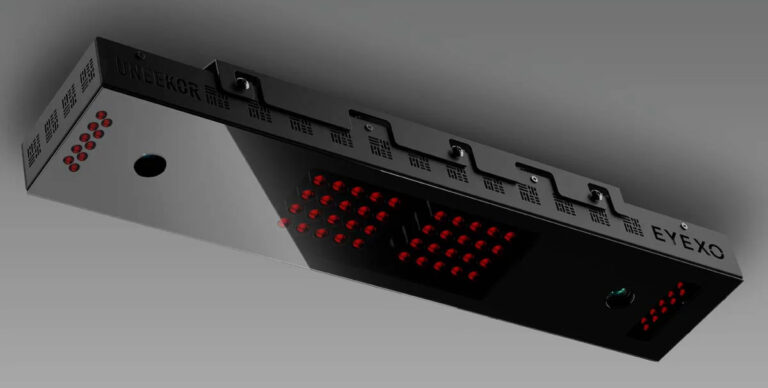
| Uneekor EYE XO | $6,500 | Overhead (9–10 ft ceiling) | No | Serious simmers who want the most complete Uneekor data set |
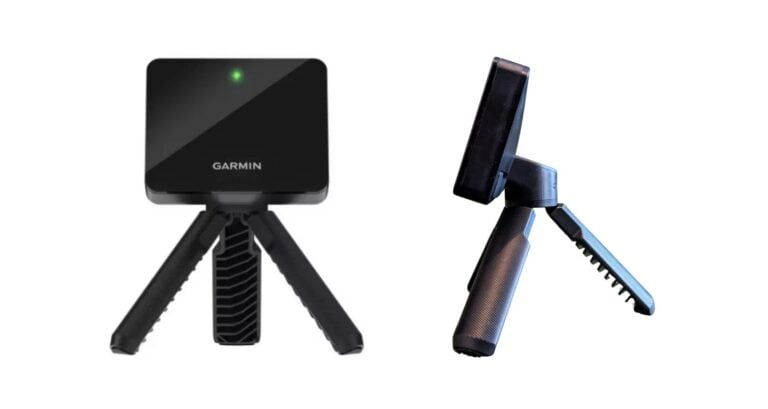
| Garmin R10 | $500 | Behind ball, portable | No | Entry-level indoor/outdoor use on a tight budget |
| Rapsodo MLM2PRO | $600 | Behind ball, portable | Yes | Budget buyers who want video replay too |
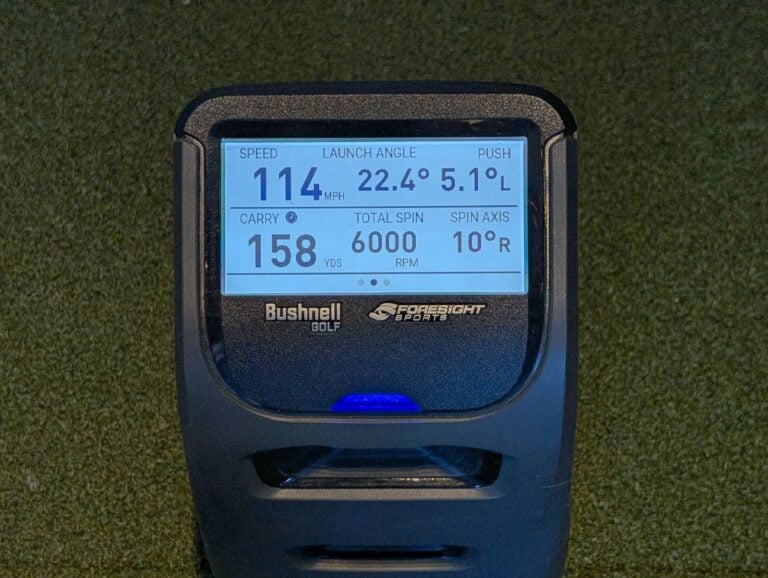
| Bushnell Launch Pro | $2,000 (Indoor) $3,000 (Indoor+Outdoor) | Side of ball | No | Foresight-powered accuracy in a similar price tier |
| SkyTrak ST+ | ~$2,500 | Behind/side of ball | No | Photometric accuracy at an accessible price |
| Trackman 4 | $20,000+ | Behind ball, radar | No | Tour-level accuracy, no budget ceiling |
The comparison that matters most for most buyers is EYE MINI LITE vs. the standard EYE MINI: both use the same core dual-camera, 19-data-point technology, so the $1,000 gap comes down to whether you need portability, a visual display, a 6–8 hour battery, and outdoor capability. If your setup lives permanently in one indoor spot, the Lite gets you the same accuracy for less money.
Against the Garmin R10 or Rapsodo MLM2PRO — see our Garmin R10 vs. Rapsodo MLM2PRO comparison for more on that matchup — the EYE MINI LITE is a step up in price but also a step up in results. Those units use Doppler radar and estimate a lot of club data; the EYE MINI LITE’s optical cameras measure it directly, which tends to hold up better for consistency and accuracy.
My Personal Testing Results and Opinions
I’ve been able to test the Uneekor EYE MINI LITE for over a month now and the results have been great. It’s exactly what I’d expect from this unit knowing it’s so similar to the Uneekor EYE XO that I already own. Carry distances, ball speed, launch angles, spin rates and more are right in line with what I’d anticipate. I’ve played so many sim rounds in the last few years (check out and subscribe to our YouTube channel where I stream a lot) that I feel like I have a pretty good gauge of what “accurate” is inside a golf simulator.
Again, my biggest takeaway for this unit is that it sort of needs to fit your setup, budget and space to be the perfect unit for you. If I’m being honest, I’m a left handed golfer and I often host right handed golfers in my sim. Ultimately, and simply, that makes it not the perfect unit for me.
Get Smarter About Your Swing
Join thousands of golfers getting exclusive swing tips, club reviews, and gear guides straight to their inbox – before they hit the site.
Setup & Space
Setup of the Uneekor EYE MINI LITE is honestly pretty simple. As long as the computer you’re hooking it up to is within proximity of the cable’s length, you’ll likely find this to be easy to startup. Download and install the VIEW software and you’re basically up and running. As I mentioned previously, the space needed for the unit is really small. So, if you’re jamming your golf simulator into a tight room or garage, this can be really beneficial as it’s sits so closely beside the ball, doesn’t require any specific ceiling height or extra room space behind your hitting area like many other launch monitors can.
Software & Feel
I’ve loved the VIEW software. As I mentioned, I’ve owned a Uneekor EYE XO for a number of years now which utilizes the same software. A very simple interface with lots of data, cameras and AI trainers that can be super useful to work on your golf swing. We’ve also been pretty clear that we prefer GSPro as the software to connect to for courses and actual gameplay. As stated in my YouTube video below, it’s fair to say that all budget launch monitors will require a subscription of some kind, however, which I don’t like.
Data & Accuracy
Without a doubt, this ranks among the top one to two launch monitors in this tier in terms of data and accuracy. Without the use of marked balls or clubs and coming in at a price that’s extremely affordable, you get more than most others in this range can even come close to.
In my testing, this was extremely accurate alongside results of my higher tiered Uneekor EYE XO premium launch monitor. Ball flights were consistent, spin rates were within expectations and launch angles were also very good.
My one con here is it sometimes felt like the hitting zone is smaller than it appears, but that’s also pretty common amongst budget units and probably something I’m spoiled with normally using my overhead unit.
Overall Impression
After spending time testing the EYE MINI LITE, I was more impressed than I expected to be for a launch monitor at this price. It’s not trying to be everything Uneekor’s higher end units are, and it doesn’t need to be. It excels at the basic fundamentals of launch monitors very well. Enough so that I’d recommend it over most other budget options on the market, especially for anyone who’s been priced out of the GC3, Protee VX or the Uneekor EYE XO.
If you’re ready to buy the Uneekor EYE MINI LITE, check out our preferred retailer for the most current pricing and packages.
Frequently Asked Questions (FAQ)
No. Unlike the Uneekor QED, the EYE MINI LITE uses Dimple Optix technology to read the dimple pattern on any standard golf ball, so there’s no dot pattern needed.
Both use the same dual-camera, 19-data-point technology under the hood. The $1,000 premium for the standard EYE MINI buys you portability, a built-in 6–8 hour battery, an E-ink display, the VIEW AIR iPad app, and the ability to use it outdoors. The LITE requires a wired Windows PC connection and stays indoors.
No. It’s built for indoor use only. You’d need to upgrade to the EYE MINI regular version if you wanted to practice outdoors.
The unit itself sits on the floor about 1.5’–2′ to the side of the ball. Because of the dual based camera technology, it really doesn’t need much more room than that.
The free Player tier gives you the VIEW software with all 19 ball and club data points and a virtual driving range. Course play through GSPro, E6 Connect, and others requires the Pro tier ($199/year) or higher. The AI-coaching features are gated behind the Champion tier ($399/year) and above. All tiers except the EYE XR come with a free 3-month Ultimate trial.
It uses the same underlying camera and Dimple Optix technology but trades overhead mounting (and the 9–10 foot ceiling requirement) for a floor-based setup at a fraction of the price. You give up some of the QED and EYE XO’s seamless right/left-handed switching, since you have to physically reposition a side-mounted unit for the opposite-handed golfer.
A Windows PC with a wired ethernet connection (or a Cat6-to-USB adapter if your PC lacks an ethernet port). There’s no wireless or standalone display option on the LITE.
It won’t match a Trackman 4 at 10x the price, but, in my own testing and some third party testing against a Foresight GC3 have shown spin rates within about 100 rpm and carry distances within 2–3 yards on irons and wedges, which is really impressive for a unit priced around $2,000.
Yes, but because it’s a side-mounted floor unit rather than an overhead camera, you’ll need to physically reposition it when switching between a right- and left-handed golfer, unlike the overhead EYE XO or QED.
Explore more launch monitor reviews and comparisons in our Launch Monitors hub, or see how the Garmin R10 stacks up against the Rapsodo MLM2PRO if you’re still deciding between a budget and mid-range setup.
Watch
New videos every week on our youtube channel

Leave a Comment