This post may include affiliate links. We do earn a commission for products purchased using these links (at no additional cost to you). Thank you for supporting Swing Yard, making the content you see on this blog possible. For more information, please see our privacy policy for details.
*Read our review guidelines.
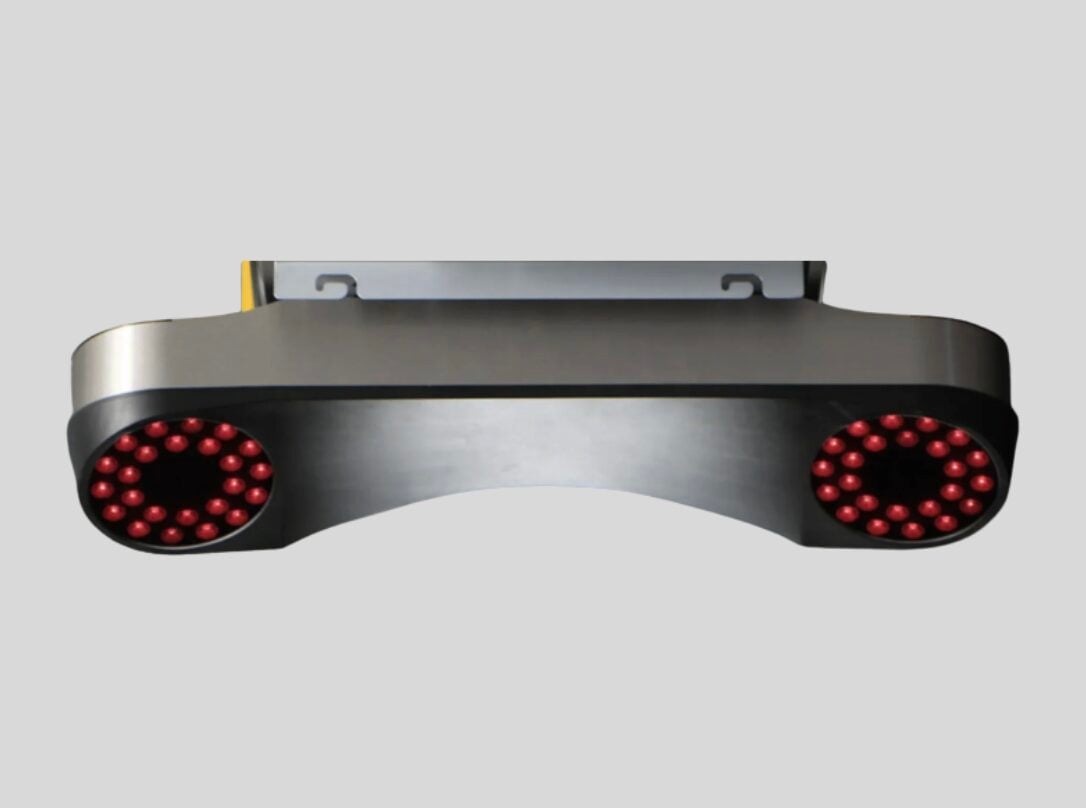
The ProTee VX is quickly becoming one of the most talked-about ceiling-mounted launch monitors on the market since its release in late 2023. Developed by ProTee United (creator of The Golf Club, Or TGC, 2019) — a Dutch indoor golf company founded in 2001 — the VX delivers elite-level accuracy, measures both ball and club data, and provides near-instant feedback for golfers of all skill levels. Best of all, it comes with no mandatory subscription fees and includes two high-speed swing cameras right out of the box. We’ll go through the positives and drawbacks of the ProTee VX launch monitor so you can decide if it’s the right unit for your golf simulator build.
Product Overview
First, let’s dive into the ProTee VX’s features and product specifications. The VX is an overhead unit that mounts to your ceiling approximately 40–43 inches in front of the hitting area. Its dimensions are (roughly 33″ x 8″ x 7″) and it weighs 18 lbs. Like most ceiling-mounted launch monitors, it requires a minimum ceiling height of 9 feet above the hitting surface — up to 10 feet. It also pairs seamlessly with GSPro, E6 Connect, Creative Golf 3D, and ProTee’s own Labs software. Additionally, ProTee is creating its own simulation software called “GolfCore” with a targeted beta release near 3/31/2026.
The ProTee VX ships from ProTee‘s facility in the Netherlands directly to US customers, typically arriving within 2–3 business days of shipping (but may take additional time to fulfill the order). The package includes everything you need to get started: the VX unit itself, a camera calibration plate, a 10-meter Cat6 ethernet cable, a USB to ethernet adapter, a power cord, a stainless steel mounting plate, and four mounting screws and plugs. Two ProTee swing cameras are also included at no extra cost — a standout value compared to competitors. The Uneekor units, sell cameras as add-on’s to their standard unit but typically at a +$1,000 price-tag.
Cameras & Data
- Ball Speed: The speed at which the ball leaves the club face after impact.
- Total Spin, Back Spin & Side Spin: Used to measure trajectory, ball flight, distance, and draw/fade characteristics.
- Launch Angle & Launch Direction: The angle and direction at which the ball leaves the club face. As a side note, we have a great article about maximizing your loft and launch angles here.
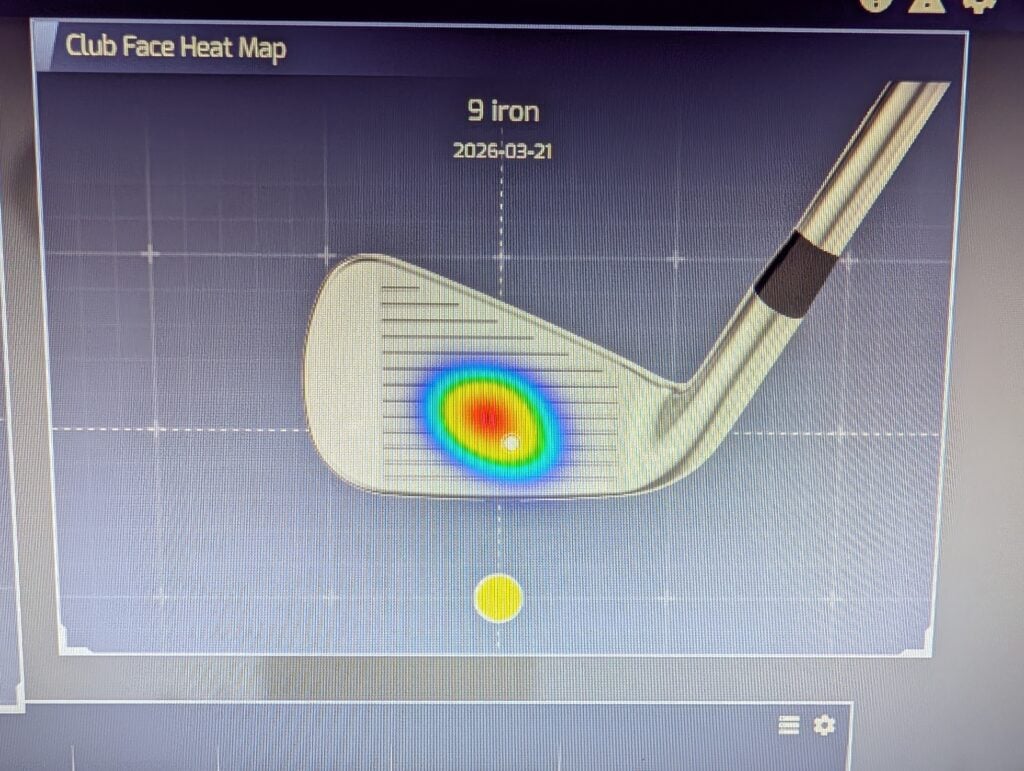
- Club Data: Club Speed, Swing Path, Club Face Angle, Attack Angle, Dynamic Loft, Club Lie Angle, and Impact Point (Vertical & Horizontal).
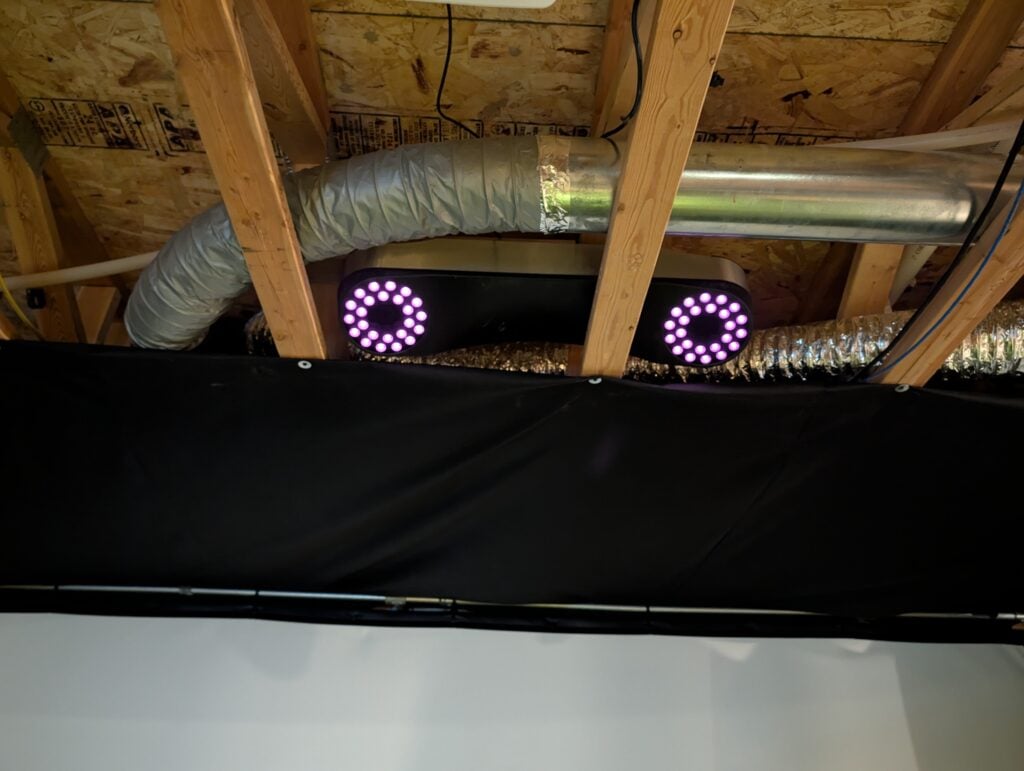
Here’s an image of my Protee VX mounted in my ceiling trusses. My unfinished ceiling height is only 9′ tall so going between the trusses allows me to get the desired 9-10′ off the ground and the trusses do not affect the cameras at all.
Get Smarter About Your Swing
Join thousands of golfers getting exclusive swing tips, club reviews, and gear guides straight to their inbox – before they hit the site.
Software
The ProTee VX comes with a perpetual (lifetime) license for ProTee Labs software included in the purchase price — no additional cost, no annual renewal. ProTee Labs provides a clean, data-forward interface with customizable data panels, instant shot feedback, integrated high-quality video playback of club-at-impact and ball spin, and a built-in practice range. All of this is available out of the box without needing to purchase any third-party simulation software first.
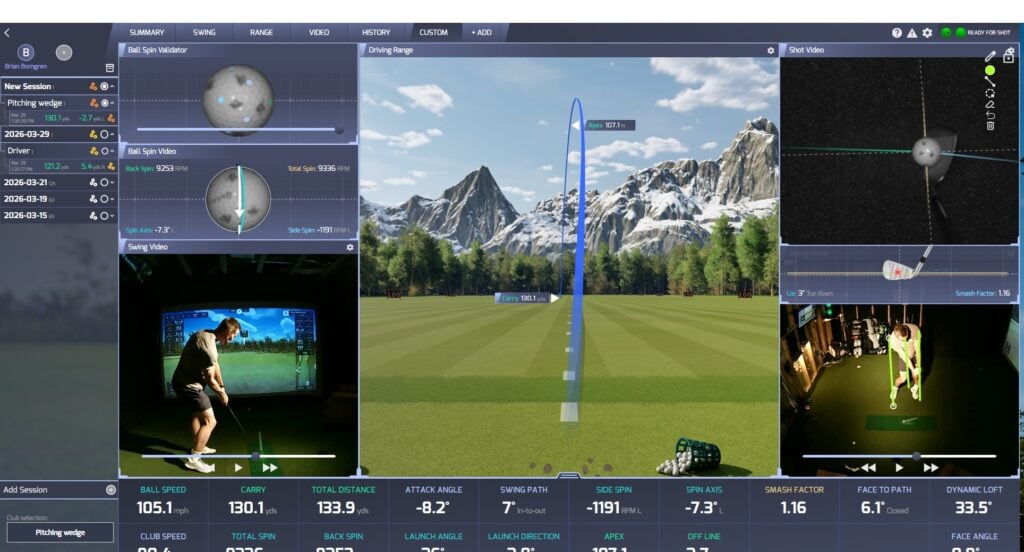
The ProTee VX measures and displays 23+ different data points covering ball, club, and flight data. Shot data and video replay appear on screen in less than a second after each swing — one of the fastest shot feedback loops on the market. The AI-powered system continuously improves as well; it recognizes club type, handedness, and club face in high-speed images, and ProTee regularly releases software updates that further refine accuracy. For those looking to connect to third-party simulation software, GSPro integrates directly with no additional cost, while E6 Connect and Creative Golf 3D require a separately purchased ProTee 3rd Party Software Connector (~$300).
ProTee VX Pros
- AI-Powered Dual High-Speed Cameras: The ProTee VX uses a dual high-speed camera system enhanced by AI and machine learning to deliver highly accurate ball and club data with virtually zero delay. Unlike some competitors, the VX achieves this without requiring any stickers, reflective dots, or special markings on your clubs. The AI system identifies the club face through impact on its own, making prep between shots completely hassle-free.
- No Marked Balls Required: The ProTee VX does NOT require specially marked golf balls. As long as your ball has a standard visible marking — a logo, alignment line, or number — the cameras can read it accurately. A standard Titleist Pro V1 with its stock logo works perfectly. This is a major convenience advantage over launch monitors that require proprietary ball markings or metallic stickers.
- Two Swing Cameras Included Free: One of the most unique value propositions of the ProTee VX is that it ships with two high-frame-rate swing cameras included at no additional charge. These provide face-on and down-the-line video views of every swing, making the VX an exceptional tool for self-coaching and remote lessons right out of the box. Comparable systems from other brands charge extra for this capability.
- Overhead Mounting — Right & Left Handed Friendly: Because the VX is ceiling-mounted, there is no need to recalibrate or reconfigure anything when switching between right-handed and left-handed golfers. The unit reads shot data from the same position regardless of which side of the ball the swing originates from. This makes the ProTee VX an excellent choice for households or commercial facilities where multiple golfers with different handedness will be sharing the simulator.
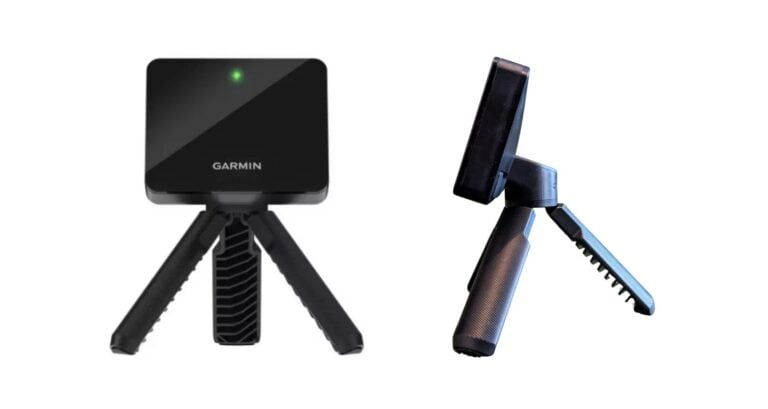
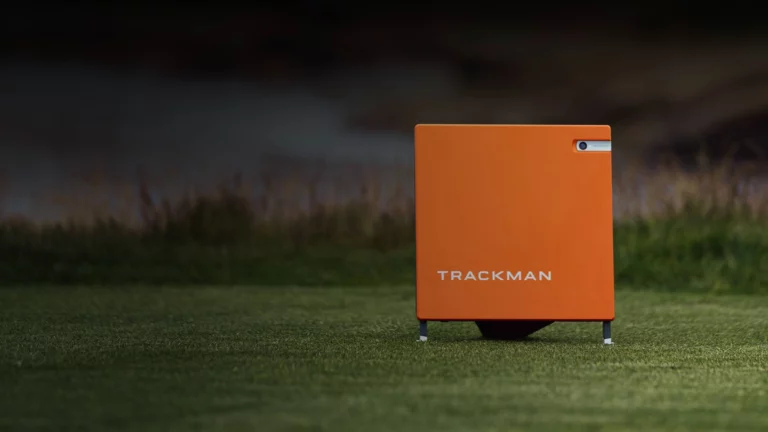
- No Subscription Fees: All features of the ProTee VX are unlocked from day one with a single purchase — no paywalls, no recurring annual fees, and no locked data. The included ProTee Labs perpetual license means you are not paying year after year just to access your own shot data. This is becoming increasingly rare, especially if looking at other (both cheaper and more expensive) options like the Rapsodo MLM2 Pro, Garmin Approach R10, and Trackman 4.
- Simulation Compatibility: The ProTee VX is compatible with a wide range of the most popular simulation software platforms, including GSPro, E6 Connect, Creative Golf 3D, and ProTee Play. GSPro connects directly with no additional hardware or license required, making it a natural pairing for one of the most popular simulation platforms available.
ProTee VX Cons
- Requires Balls with Visible Markings: While the ProTee VX doesn’t require specially purchased or marked balls, it does require your ball to have at least some visible marking — a logo, number, or alignment aid. Completely plain, blank balls will not track reliably, especially at higher ball speeds. *As this article is being written ProTee is adding functionality to perform “dimple” reading, rather than simply rely on ball markings to capture ball speed and spin.
- Cost & Third-Party Software Add-Ons: The ProTee VX generally retails in the $5,500–$6,500 range depending on the retailer and any active promotions. While this is competitive for a ceiling-mounted overhead unit at this accuracy level, it is not a budget launch monitor. Additionally, if you want to use E6 Connect or Creative Golf 3D, you will need to purchase the ProTee 3rd Party Software Connector separately for around $300 — a minor but notable extra expense to factor into your total build budget.
- Ceiling Height Requirement: Like other ceiling-mounted launch monitors, the ProTee VX requires a minimum ceiling height of 9 feet above the hitting surface. Most standard homes have 8-foot ceilings, which means basements or garages with lower ceilings may not accommodate the unit without modifications. Garages with taller ceilings or spaces with 9–10 foot clearance will be ideal. Be sure to measure your available ceiling height carefully before purchasing.
- Ships from the Netherlands: The ProTee VX ships internationally from ProTee United’s facility in the Netherlands. While most retailers guarantee delivery within 2–3 days of shipping and prepay import duties, the international origin of the unit is something to keep in mind if you need the monitor on a very tight timeline or have concerns about warranty service and returns. My unit (which I purchased in December of 2025) took about 8 weeks to ship.
What Sets the Protee VX Apart?
The Protee VX is the most advanced and flexible launch monitor I’ve ever used! the interface is entirely customizable with a nearly limitless number of tabs displaying different information depending on the intention of your hitting session.
Watch
New videos every week on our youtube channel
- Simply put – flexibility. I’ve watched a hundred reviews of other launch monitors and I’ve never seen anything else this customizable. It’s actually fun to go through the different tabs and set them up specifically for a range session, simulator play or a swing lesson. Other launch monitor interfaces are frustating, not intuitive and inflexilbe in comparison.
- The AI incorporated into their algorithm allows the unit to be able to tell when your club has hit the ball. In 3 months of owning the unit I think I only have 1 misread! Whether I move the ball with my hand or my foot, or whether a ball rolls through the hitting zone the Protee simply knows that its not a valid shot.
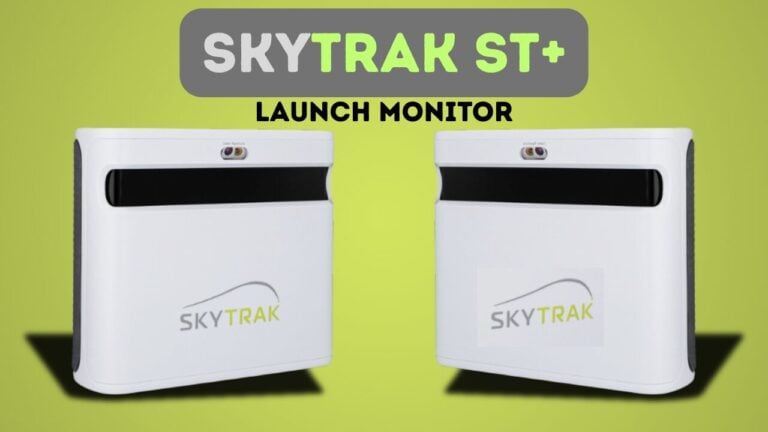
- Near instantaneous ball response time.. Some competitors like Trackman and Skytrak, have a noticeable shot delay. The Protee VX has none making it seem like you’re hitting a ball on the real course.
- Plug and play swing cameras ship with the unit! I previously owned a Uneekor EyeXO which allows for swing cameras but they are expensive. Protee sends you two USB cameras or you could use any USB camera you have (it would even allow me to use my webcam).
Frequently Asked Questions
The ProTee VX connects to your computer via ethernet cable (Cat6). A 10-meter Cat6 cable and a USB to ethernet adapter are both included in the box, so you don’t need to purchase any additional hardware to get connected right away.
Yes! The ProTee VX uses AI-powered cameras to measure full club data — including club speed, swing path, club face angle, attack angle, dynamic loft, and impact point — without requiring any reflective stickers, dots, or special markings on your clubs. The AI system identifies the club face independently through impact.
Yes! The ProTee VX integrates directly and seamlessly with GSPro with no additional connector or license required. For E6 Connect and Creative Golf 3D, a separately purchased ProTee 3rd Party Software Connector (approximately $300) is needed. ProTee Labs driving range software is included free with every VX purchase.
Absolutely! The ProTee VX works interchangeably for right-handed and left-handed golfers without any recalibration or repositioning. Because it is ceiling-mounted and centrally located, the unit reads shot data the same way regardless of which side of the ball the golfer swings from. This makes it an ideal choice for families, groups, and commercial facilities.
The minimum requirements are Windows 10 (64-bit), an Intel Core i7-8xxx processor at 3.00GHz or equivalent AMD, 8 GB RAM, an Nvidia RTX 3060 or equivalent Radeon GPU, broadband internet, and 5 GB of available hard drive space. For the best experience when running golf simulation software, ProTee recommends Windows 10/11 (64-bit), an Intel Core i9-9xxx or AMD Ryzen 9, 16 GB RAM or more, an Nvidia RTX 3080 or Radeon RX 6800XT, DirectX 12, and at least 30 GB of hard drive space.

Leave a Comment