This post may include affiliate links. We do earn a commission for products purchased using these links (at no additional cost to you). Thank you for supporting Swing Yard, making the content you see on this blog possible. For more information, please see our privacy policy for details.
*Read our review guidelines.
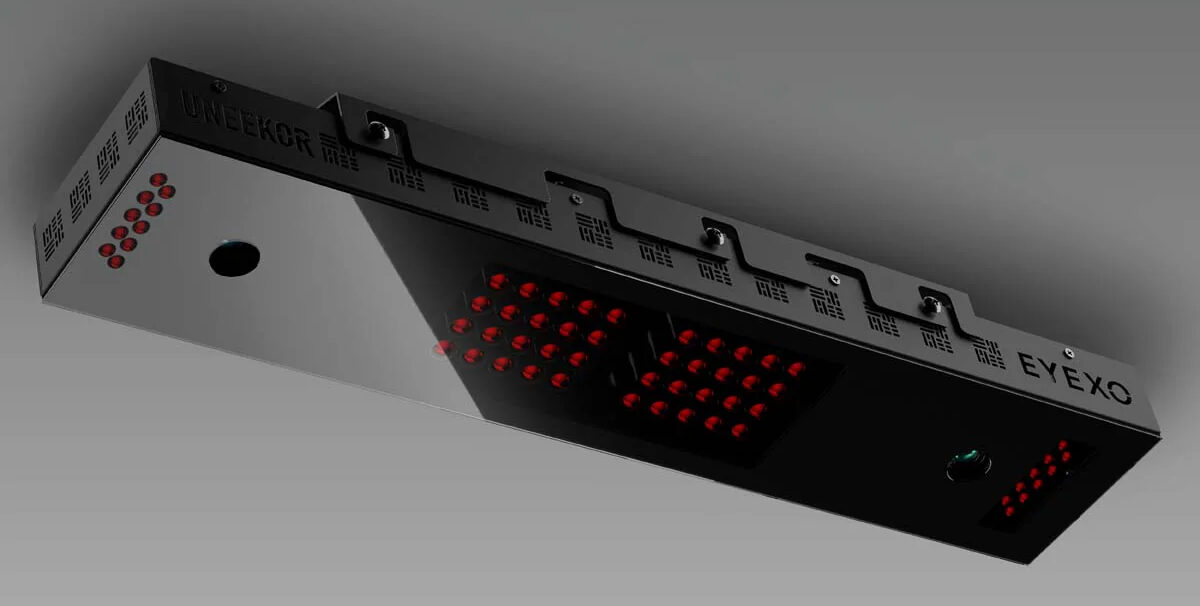
The Uneekor EYE XO is quickly becoming one of the most popular launch monitors on the market since its release in the middle of 2020. It’s extremely precise, measures both ball and club data, and provides instant feedback for golfers of all skill levels. I have personally owned the Uneekor EYE XO and couldn’t be more satisfied with the launch monitor for the price. We’ll go through the positives and drawbacks of the EYE XO launch monitor.
Product Overview
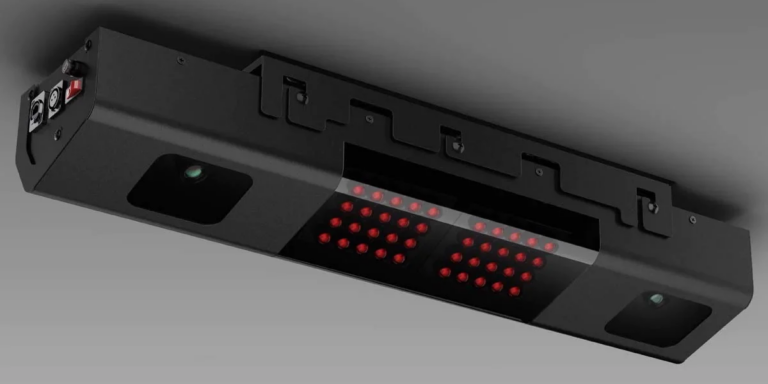
First, let’s dive into the Uneekor EYE XO’s features and product specifications. The EYE XO is an overhead unit that sits about 3 1/2 feet in front of the impact zone inside your golf simulator. It’s dimensions require a space of 31”L x 6”W x 2.4”H. It also requires a mounting between 9 ft-10 ft above your hitting area. Additionally, the EYE XO pairs seamlessly with GSPro – the best simulation software for the money on the market.
I have my Uneekor EYE XO setup in my garage. I had to build an extension with 2x4s and 2x6s to get it to the desired height above the hitting zone. Admittedly, there are more professional ways to mount a launch monitor. However, this construction was cheap and very straight forward. Most importantly it satisfies my wife’s standards for my sim build in our garage. Ha!
- Ball Speed: The speed at which the ball leaves the club face.
- Spin Rate: Used to measure trajectory, ball flight, distance and draw/fade
- Launch Angle: The angle at which the ball leaves the club face after impact.
- Club Path and Face Angle: Offers additional insight
Software
The EYE XO runs primarily off the Uneekor View software (as picture below). As a lefty, I hit four 7-irons (3 hooks and a block) to demonstrate many of the ball and club metrics available in Uneekor View. Even when connected to separate golf sim software, the Uneekor View can remain active, providing excellent insight into the shot data when hit at sea level, on a flat surface, with no wind.


T
I highly recommend the below video to further understand how the Uneekor EYE XO works and an easy demonstration done by the Swing Yard team.
Get Smarter About Your Swing
Join thousands of golfers getting exclusive swing tips, club reviews, and gear guides straight to their inbox – before they hit the site.
Uneekor EYE XO Pros
- The Uneekor EYE XO uses dual high-speed cameras (similar to the Uneekor QED). What sets the EYE XO apart is that the unit sits in front of the ball rather than behind the ball like the Uneekor QED. This allows the Uneekor EYE XO to more accurately measure club data since the launch monitor can see the front of the club face through impact.
- No Marked Balls – The Uneekor EYE XO does NOT require marked balls. This is a big upgrade from the Uneekor QED which requires use of marked balls (with a specific 3 dot pattern) in order for the launch monitor to read ball data correctly. With the Uneekor EYE XO, you can use whatever ball you use on the course and get extremely accurate ball readings and data.
- Overhead Mounting: The Uneekor EYE XO is mounted overhead which allows for a single calibration rather than the continual calibration sometimes required by floor standing units that are easily moved or knocked over. Lastly, it makes right and left handed interchangeable play seamless. This is often a drawback people have when inviting friends to play on a floor standing monitor.
- Video Camera Functionality: One of the unique features of the Uneekor launch monitors is their ability to add additional high-speed cameras. These cameras can then interact seamlessly with their software, called Uneekor View as mentioned above. The high-speed cameras allow for slow motion replays of the golf swing from multiple angles. Additionally, this can be really handy for in-depth swing analysis or remote lessons.
- Simulation Compatibility: The EYE XO is compatible with just about all simulation software that isn’t locked to a single launch monitor. This includes GS Pro, TGC 2019, E6 Connect and Uneekor’s own proprietary course software. The Trackman course software, for instance, is only available if you have a Trackman LM.
Uneekor EYE XO Cons
- Setup Complexity: While the Uneekor EYE XO is user-friendly once installed, the initial setup can be complex and may require first time assistance from their support. The upshot is that their support is very responsive, knowledgeable and can usually get you up and running pretty quickly.
- Cost: I would look at the Indoor Golf Shop or The Indoor Golf Outlet for the most up to date cost of the unit. The price can sometimes vary with sales and whatnot but generally the monitor sells for between $6,000-$8,000. While this is less than other high end launch monitors, this is generally not considered a budget launch monitor. Some of the well known Foresight launch monitors, as well as two of Uneekor’s floor standing launch monitors, can be had for well under $5,000.
- Ceiling Height – Uneekor EYE XO can not be mounted any lower than 9 feet and most homes have standard 8′ ceilings inside (or lower for older homes). For many people this will mean that their basement or garage isn’t suitable for a Uneekor EYE XO. That said, people have had success mounting the unit around 8.5″ but Uneekor does not officially guarantee that the unit will work unless mounted at least 9′ high.
This post includes affiliate links. I do earn a commission for products purchased using these links (at no additional cost to you). Thank you for supporting Swing Yard, making the content you see on this blog possible.
Frequently Asked Questions
The Uneekor EYE XO ONLY connects to a computer via ethernet cable (Cat6). Your PC will either need an ethernet port or you will need a cat6 to USB converter.
Yes! The EYE XO can measure club data often sought after like club head speed, angle of attack, etc… To enhance the accuracy of club data even further, Uneekor offers small sticks that can be placed on the club face to aid in the measurement being done by the high speed cameras.
Yes! It can be used interchangeably by right and left handed golfers without any modifications. The overhead unit reads the ball data in the same manner regardless of which side of the ball the shot is struck. This makes is a better choice for shared play with friends than many floor standing launch monitors.
Yes, please see the image below for the official system requirements from Uneekor.

Leave a Comment