This post may include affiliate links. We do earn a commission for products purchased using these links (at no additional cost to you). Thank you for supporting Swing Yard, making the content you see on this blog possible. For more information, please see our privacy policy for details.
*Read our review guidelines.
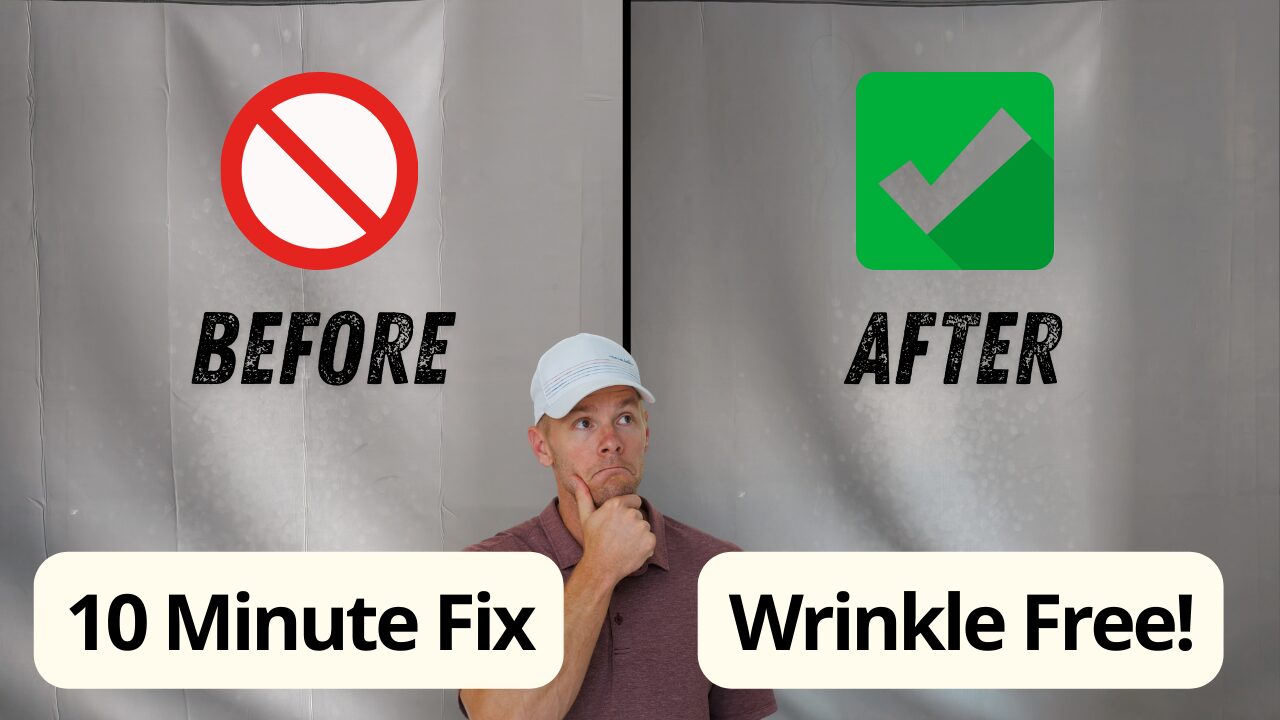
Nothing kills the golf simulator vibe faster than wrinkles distorting your impact screen. Yet, every single screen comes with heavy wrinkles. Why? Well, it’s simply due to the packaging that these screens are transported in and it’s extremely common to want to get rid of them. If you don’t, your shots can rebound in different directions, the image of your golf simulator can be severely distorted and it can just visually look bad. Having owned a golf simulator for several years now, I know first hand that a “bad” looking golf simulator is the opposite of what you want, especially if you’re having guests over to play golf.
So, let’s fix it! The best way to fix golf simulator screen wrinkles is with a simple steamer. The same one as you’d use for clothing, and it takes under 10 minutes for smooth results. In this guide, we’ll walk through the step-by-step steamer method for removing wrinkles from your golf impact screen, plus tips to prevent them from coming back, so you can focus on lowering scores instead of fighting fabric. Optimized for DIY golfers looking to maintain their home golf simulator without hassle.
Why Wrinkles Form on Your Golf Simulator Impact Screen (And Why They Matter)
Golf simulator impact screens, typically made from durable polyester or mesh materials, arrive folded up for shipping, which naturally creates creases that worsen with humidity or improper storage. These wrinkles don’t just look bad—they distort projector images, skewing your view of ball flight paths and making it harder to analyze your sim play from your launch monitor. Fixing it isn’t just cosmetic; it’s essential for reliable golf simulator performance, ensuring your sessions deliver the precise feedback needed to refine approach shots or driver distance. The steamer method stands out as the top choice because it gently relaxes the fibers without stretching or damaging the screen, unlike heat guns or irons that risk melting or burns. I’ve personally used this method before and put together a video demonstration on my own golf simulator impact screen.
This post includes affiliate links. I do earn a commission for products purchased using these links (at no additional cost to you). Thank you for supporting Swing Yard, making the content you see on this blog possible.
Tools You’ll Need for the Steamer Fix
Getting rid of wrinkles on your golf simulator impact screen requires minimal gear, keeping this a budget-friendly DIY hack for home setups. Grab a handheld garment steamer (like the HiLIFE Steamer, for less than ~$30 on Amazon—distilled water recommended to avoid mineral spots), and if necessary, a soft microfiber cloth for wiping, and clips or tape to secure the screen taut during steaming. If your impact screen is large like mine (e.g., 9x12ft), work in sections to avoid any fatigue. No fancy tools needed—this method works on most materials, (e.g., Indoor Golf Shop enclosures), and it’s safe for repeated use without voiding warranties.
Get Smarter About Your Swing
Join thousands of golfers getting exclusive swing tips, club reviews, and gear guides straight to their inbox – before they hit the site.
Step-by-Step Guide: How to Fix Golf Simulator Screen Wrinkles with a Steamer
Ready to smooth that impact screen? Follow this easy process to remove wrinkles from your golf simulator impact screen in under 10 minutes—tested on multiple setups for foolproof results.
- Prep the Area: Unroll your golf simulator impact screen in a well-ventilated space, ideally flat on the floor or hung loosely in your enclosure. Secure edges with clips, bungees or zip ties to keep it taut but not overstretched—aim for slight tension to help the steamer penetrate evenly.
- Fill and Heat the Steamer: Pour distilled water into your handheld steamer and let it heat up (2–3 minutes for most models). Test on a scrap fabric to ensure steady steam without drips.
- Steam in Sections: Hold the steamer close and/or touching the screen, moving in slow, sweeping motions from top to bottom. Focus on wrinkled areas for 10–15 seconds each, letting steam relax the fibers—avoid soaking it to prevent sagging.
- Smooth and Dry: Gently tug the screen taut while steaming, then use a microfiber cloth to pat dry any moisture. Let it air-dry for 5 minutes; the wrinkles should flatten as it cools.
- Reinstall and Test: Hang the screen back in your golf simulator enclosure, ensuring even tension with bungees or PVC frame. Fire up a few shots via your launch monitor to confirm clear visuals—no more distorted ball flights.
This steamer method is quick, effective, and outperforms other methods that don’t fully get rid of the problem.
Prevention Tips: Keep Your Golf Impact Screen Wrinkle-Free Long-Term
Once you’ve fixed those initial creases, maintaining a smooth golf simulator impact screen prevents future headaches. Store it rolled loosely (not folded) in a dry spot to avoid compression wrinkles, and use consistent tension on your frame—over-tightening can cause new lines. For humid climates, a dehumidifier near your setup cuts moisture buildup. If wrinkles creep back, a quick 2-minute steam session keeps it pristine. These habits ensure your impact screen supports accurate simulator data, helping you keep your perfectly built DIY golf simulator.
Alternatives to the Steamer Method If You Don’t Have One
While steaming is the gold standard for removing wrinkles from golf simulator impact screens, alternatives exist for on-the-fly fixes. A hairdryer on low heat (with a cloth barrier) can relax minor creases, but it’s less effective on deep folds. Weighted edges or tension rods provide temporary smoothing without tools, though they don’t eliminate wrinkles like steam does. For stubborn cases, professional dry cleaning services handle large screens, but at $50+, it’s overkill for DIY golfers. Stick with the steamer for the best results—it’s affordable, fast, and preserves screen integrity for years of reliable use.
Watch
New videos every week on our youtube channel
Smoothing your golf simulator impact screen isn’t just a fix—it’s a game-changer for cleaner visuals and better practice. Good luck out there!
Frequently Asked Questions (FAQ)
The answer varies a little bit depending on the size of your screen and amount of wrinkles. I had a 9×12′ screen and was able to do the entire thing in about 10 minutes. I made a video of the process here.
Yes, steaming is safe for most polyester or mesh impact screens (e.g., Indoor Golf Shop enclosures). However, like anything with high heat and water, you do need to exercise caution and ensure you know what you’re doing. Especially if using alternative methods like a hair dryer for smaller spots.
The wrinkles likely won’t come back if you followed the methods in this article. However, if you are required to store your impact screen after use, it’s recommended that you roll it up evenly instead of folding it and creating more creases.
No, not necessarily but it will definitely elevate game play and visuals. Some wrinkles can be pretty bad and cause the screen to appear bent or simply, not flat. It won’t actually affect stats but it can distort shot tracers and simulation game play.




Leave a Comment